











AI Smile Filter
AI Smile Filter - Add a natural smile to photos with authentic facial expressions, realistic teeth display, and warm genuine appearance.
Generated results will appear here
After submitting a task, AI-generated content will be displayed here
Example Gallery


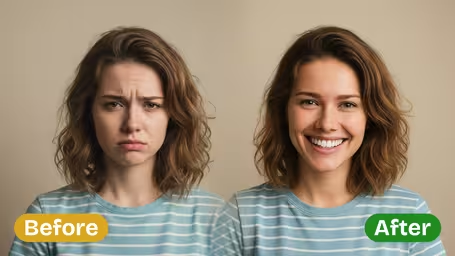

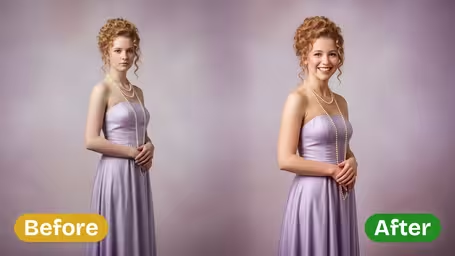
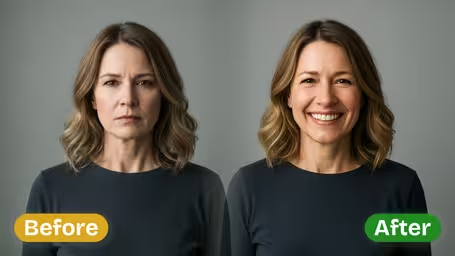


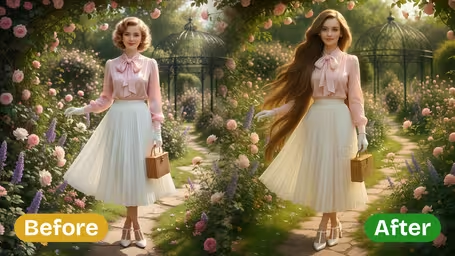

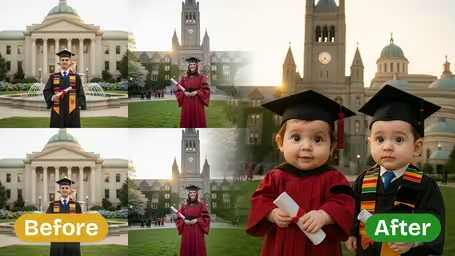
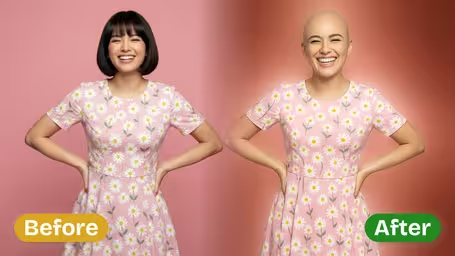
Key Features of Img2Video’s AI Smile Filter
Give any portrait an instant glow-up with Img2Video’s AI-powered smile filter: it adds a naturally radiant, believable smile that fits seamlessly with your subject’s unique facial features for a totally authentic result.
Seamlessly Add a Natural Smile to Any Photo Subject
Powered by cutting-edge facial recognition technology, Img2Video’s AI effortlessly adds a bright, natural-looking smile to any person in your photo. Smart processing guarantees the new expression blends perfectly with the subject’s existing facial structure for a truly authentic enhancement.
Expert-Level Facial Alignment
Our AI maps your subject’s unique facial proportions to craft a smile with perfectly curved lips and natural-looking teeth placement. This guarantees your new expression fits flawlessly without awkward distortion, keeping a naturally balanced, lifelike result.
Instant One-Click Smile Application
Just upload your photo and let our AI instantly apply a flawless, glowing smile. No tedious manual editing is needed—one simple click is all it takes to turn your subject’s expression into a warm, approachable, inviting look.
Step-by-Step Guide: Using Img2Video’s AI Smile Filter for Natural, Bright Smiles on Any Portrait
This straightforward walkthrough gets you from uploading your portrait to downloading a beautifully enhanced, smile-brightened photo in just three easy steps with Img2Video.
Upload Your Photo Subject
Begin by picking the portrait you want to edit and uploading it to our tool. Make sure the subject’s face is unobscured and clear for the AI to correctly map its unique features.
Tips: Good lighting and a high-res photo will help the filter produce the most lifelike, glowing smile possible.
Let Img2Video Add a Natural Smile
After your photo uploads, Img2Video’s AI will process the image, automatically adjusting facial features to add a smooth, bright, completely authentic-looking smile.
Tips: No manual tweaks are required— the AI automatically generates a smile that fits perfectly with your subject’s unique face shape and features.
Download Your Enhanced Photo
Once processing finishes, your new smile-enhanced portrait is ready to download. Save it straight to your device or share it with friends right away.
Tips: Hang onto your original photo if you want to compare results later, or test out other Img2Video editing tools down the line.
Frequently Asked Questions: AI Smile Filter
Get clear answers to all your common questions about our AI smile filter, which lets you effortlessly add a bright, natural-looking smile to any subject in your photos.
Flexible AI Pricing
Pay-as-you-go credits or subscription plans. No hidden fees, cancel anytime.