










El cine del futuro ha eliminado las cámaras. Ahora se genera con inteligencia artificial… en segundos. PixVerse V5 no compite: domina. Y si no lo ves hoy, te lo contarán mañana 👇
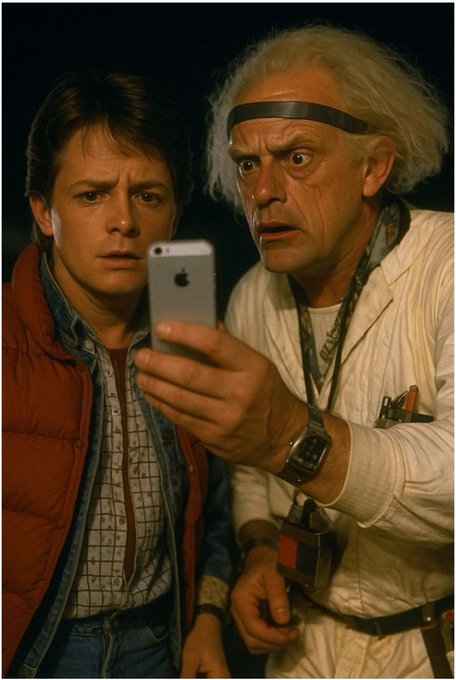


This cutting-edge multi-modal AI video generation tool delivers revolutionary motion quality upgrades, supporting text-to-video, image-to-video, and seamless scene transitions, with professional-grade final output up to 1080p resolution and support for a wide range of creative styles.
Watch demonstrations and tutorials showcasing PixVerse V5's powerful AI video generation capabilities
See what people are saying about Pixverse V5 on X (Twitter)
El cine del futuro ha eliminado las cámaras. Ahora se genera con inteligencia artificial… en segundos. PixVerse V5 no compite: domina. Y si no lo ves hoy, te lo contarán mañana 👇
Have a good Friday morning, everyone! ☀️🪄🏃♀️☕️ Name: Arcane Radiance Stride. Made with @BasedLabsAI using the PixVerse v5 model text-to-video. #FridayVibes #Fridaymotivation #FridayFeeling #FridayThoughts
🎆 Video Model Comparison: Text to video There are a few new models in this comparison, including Wan 2.5, Kling 2.5 & Luma Ray3: → Wan 2.5 → Kling 2.5 → Luma Ray3 → Veo 3 → Seedance Pro → Hailuo-02 → Runway Gen-4 → PixVerse 5 I used the same prompt on each model up to Show more
Have a good Sunday morning, everyone! ☀️🪄☕️ Name: Ethereal Light Wielder. Made with @BasedLabsAI using the PixVerse v5 model text-to-video. #Sundayvibes #Sundaymotivation #SundayThoughts #SundayFunday
Most exotic flowers to the world! Powered by Flux 1.1 Pro and Riffusion/ Producer AI, video ai generated entirely by Pixverse v5. youtube.com/watch?v=nI5gkH… #pixverse #producerai #aiarts #imageai #videoai #aiartists
Wanted to share this, Pixverse v5 is quite good at prompt aherence with lights blinking, I tested a robot's optic blinking out, did really well! #videoAI #pixverse #pixversev5 #aiarts #aiartcommunity
The next generation of AI video creation technology
PixVerse v5 delivers unprecedented quality in AI video generation with significant improvements in motion quality, visual performance, and prompt accuracy. Transforms text and images into stunning videos with professional-grade results.
The next generation of AI video creation technology
PixVerse v5 delivers unprecedented quality in AI video generation with significant improvements in motion quality, visual performance, and prompt accuracy. Transforms text and images into stunning videos with professional-grade results.
Uncover the cutting-edge capabilities that set PixVerse v5 apart for AI-powered video generation
Turn text prompts, reference images, or a mix of both into custom videos, giving you expanded creative control and flexibility for all types of content creation.
Enjoy far more natural, expressive movements with smoothly flowing, logically coherent motion paths that make every scene feel truly alive.
Get crisper resolution, deeper fine details, and lifelike textures paired with refined lighting for a polished cinematic finish.
Get tighter alignment between your prompts and generated videos, including spot-on character representation, style replication, and environment matching.
Create videos across multiple resolutions from 360p to 1080p, enabling professional-quality output for every type of use case.
Generate videos in either 5-second or 8-second lengths to perfectly match your unique content requirements and storytelling goals.
Full support for a range of aspect ratios including 16:9, 4:3, 1:1, 3:4, and 9:16 to fit every platform and display requirement.
Apply a wide range of artistic styles including anime, 3D animation, clay, comic, and cyberpunk to perfectly align with your unique creative vision.
Build smooth, natural video transitions between two images with intelligent morphing and advanced scene blending technology.
Keep style, color, and lighting stable and consistent across all frames and scenes for polished, professional-grade finished videos.
Generate 360p videos in 5 seconds or 1080p videos in about one minute, balancing speed and quality to match whatever your project needs.
Use seed parameters for reproducible results and locked-in consistency across multiple generation attempts with the same prompt.
Find answers to the most common questions about AI video generation with PixVerse v5
Still have questions?
Create breathtaking AI-powered videos by mastering text-to-video generation with PixVerse v5
Craft a detailed text prompt (max 2048 characters) that lays out exactly what you want your video to look like. Be clear and specific when outlining on-screen actions, settings, characters, and key visual details. While PixVerse v5 supports many languages, you’ll get the best results with English prompts. Add extra details about lighting, camera positioning, and overall mood to get even better output.
Turn any static image into a smooth, engaging dynamic animated video powered by PixVerse v5's cutting-edge AI technology
Start by uploading a high-quality image in JPEG or PNG format, which will act as the opening base frame for your video. For the best results, choose images with clear subjects and strong composition. If you're creating a transition video, you'll need to upload both your starting and ending image. Always confirm your images are well-lit and hold enough detail for the AI to interpret and animate effectively.
Pay-as-you-go credits or subscription plans. No hidden fees, cancel anytime.


