Logo

AI Video Eraser

Use AI-powered mask inpainting to eliminate any unwanted objects, people, text or distracting elements from your videos. All you need to do is draw a mask over the content you want removed, and our AI will automatically fill the space with seamless, natural-looking matching content. This tool supports HD/4K quality videos up to 10 minutes long, and maintains full frame-by-frame temporal consistency for smooth results.

Input Video*
Try an example:

Generated results will appear here

After submitting a task, AI-generated content will be displayed here

Public

AI Video Eraser Before & After Results

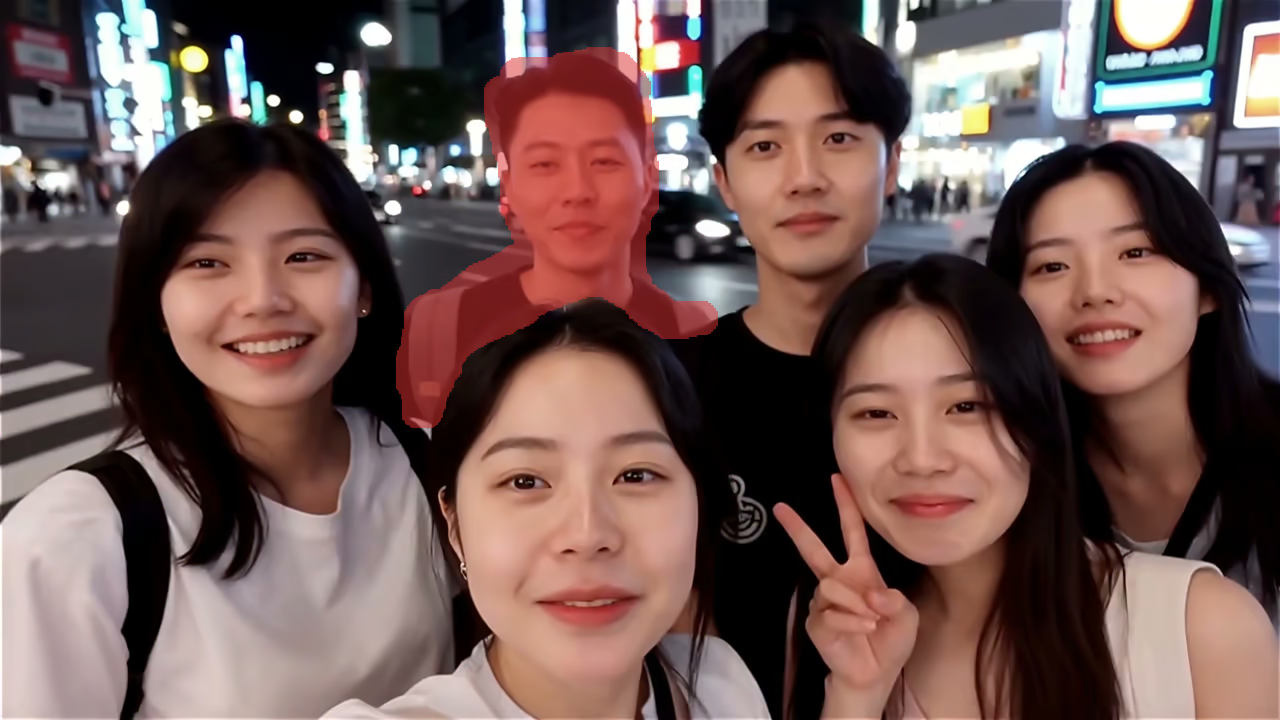
Watch our AI-powered Video Eraser eliminate unwanted objects, text, and distracting elements from any video, with clear side-by-side comparisons of the original unedited clip and the polished final output.

Try Video Eraser
Input
Video
Video
Object Removal - Input 2
Image
Mask
Video
Video
Text Removal - Input 2
Image
Mask
Video
Video
Video
Video
Person Removal - Input 2
Image
Mask
Video
Video
Logo Removal - Input 2
Image
Mask
Video
Video
Watermark Removal - Input 2
Image
Mask
Output
AI Generated
AI Generated
AI Generated
AI Generated
AI Generated
AI Generated
Object Removal

What's AI Video Eraser

Remove any unwanted object, person, or text from videos with AI mask-based inpainting - free, fast, and professional HD/4K quality

Mask-BasedPrecision Erasing
HD/4KQuality Output
TemporalConsistency
No SkillsRequired

AI Video Eraser uses advanced deep learning and temporal inpainting technology to intelligently remove unwanted elements from videos. Simply draw a mask over the area you want to erase, and the AI fills it with natural-looking content that blends seamlessly across frames.

How to Use AI Video Eraser

Remove unwanted objects from videos in three simple steps with AI-powered mask inpainting

1
Upload Your Video & Draw Mask
2
AI Processes & Fills
3
Download Clean Video

Upload the video containing unwanted objects, people, or text you want to remove. Supports MP4, MOV, and WebM up to 500MB and 10 minutes. After uploading, use the mask editor to paint over the area you want to erase on the first frame. The brush tool makes it easy to precisely select objects of any size or shape.

FAQ: AI Video Eraser

Commonly asked questions about our AI-powered Video Eraser tool

Still have questions?

Our AI Video Eraser leverages mask-based inpainting technology. You upload your video, draw a mask over the section you want to remove, and our AI analyzes surrounding pixels frame by frame to fill the masked area with natural-looking content. You can optionally add a text prompt to guide what should fill the erased area.
You can remove just about any visible unwanted element: extra people, random objects, logos, watermarks, timestamps, subtitles, text overlays, signs, vehicles, or any other visual distraction. The AI works equally well on both static and moving elements.
The mask is optional but strongly recommended for the best possible results. Drawing a mask tells the AI exactly what you want to erase; if you skip it, the AI may not correctly identify which element you want removed. The mask editor lets you paint over your target area with a simple brush tool right on the first frame of your video.
We support MP4, MOV, and WebM formats up to 500MB in file size. Maximum video duration is 10 minutes (600 seconds). The tool preserves your original resolution and frame rate in the final output.
The prompt lets you describe exactly what content you want to fill the erased area with. For example, if you erase a person standing on grass, you can write 'green grass' to ensure the AI fills the space with matching grass. Without a prompt, the AI automatically infers what content to generate based on surrounding context.
Pricing is calculated based on video duration: 15 credits minimum for videos up to 5 seconds, and 3 credits per second for longer videos. For example, a 10-second video costs 30 credits, and a 60-second video costs 180 credits.
Our AI uses temporal-aware inpainting that processes each frame while maintaining consistency across all frames. This ensures smooth, natural-looking results without flickering or visible artifacts in most cases.
Yes, your videos are processed securely on our servers and are never shared with third parties. All uploaded content is automatically deleted from our systems after processing completes to protect your privacy.

Flexible AI Pricing

Pay-as-you-go credits or subscription plans. No hidden fees, cancel anytime.

Basic

Start your AI journey

399.99
1 Year
USD
9000points1 Month
Priority Support
Early Access
5 GB(Storage Space)
3(Maximum Projects)
Team Members
50 images1 Month
Audio Transcription
100 snippets1 Month
API Calls
Popular

Professional

Elevate your AI experience

799.99
1 Year
USD
27000points1 Month
Priority Support
Early Access
20 GB(Storage Space)
10(Maximum Projects)
Team Members
150 images1 Month
150 minutes1 Month
300 snippets1 Month
API Calls

Enterprise

Powerful support for your team

1999.99
1 Year
USD
75000points1 Month
Priority Support
Early Access
100 GB(Storage Space)
50(Maximum Projects)
10(Team Members)
600 images1 Month
600 minutes1 Month
1200 snippets1 Month
10000 calls1 Month