











AI Aging Filter
AI Aging Filter - Apply realistic aging transformation to photos, adding natural signs of aging while preserving original pose and expression.
Generated results will appear here
After submitting a task, AI-generated content will be displayed here
Example Gallery
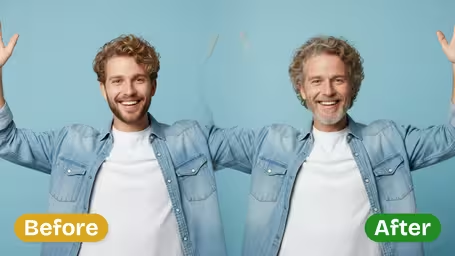
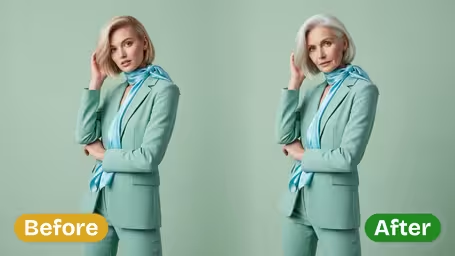
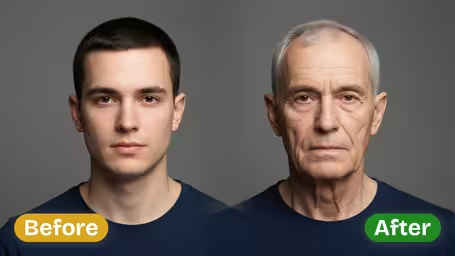
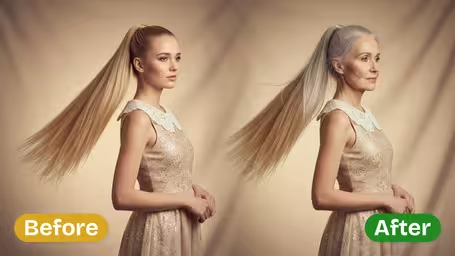
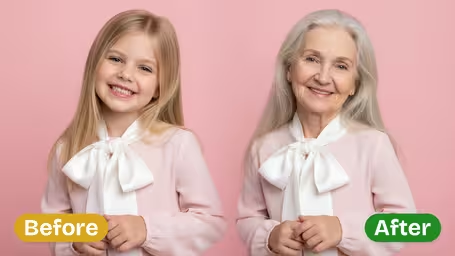
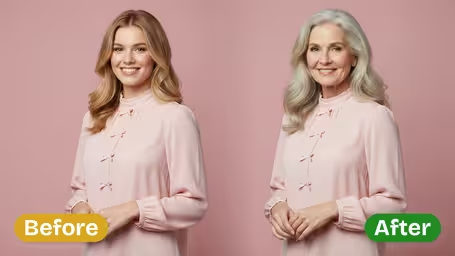






Key Features of Img2Video's AI Aging Filter
Explore what Img2Video’s AI-powered aging filter can do: it delivers realistic age progression for any photo, adding natural, lifelike aging details while preserving your subject’s one-of-a-kind identity.
Realistic Age Progression
Just upload your photo, and our AI adds authentic-looking wrinkles, fine lines, and natural skin texture, all while leaving your subject’s core facial features completely intact.
Versatile Photo Applications
Our aging filter works seamlessly on portraits, casual selfies, and group photos alike. The advanced AI engine delivers evenly matched, consistent age progression effects no matter what kind of photo you upload.
Future Look Visualization
Get a believable glimpse of what your subject will look like years from now, with natural aging effects that blend perfectly into your original photo for truly convincing results.
Step-by-Step Guide: Using Img2Video’s AI Aging Filter for Natural Realistic Age Progression
Our quick, easy guide walks you through turning any photo into a believable age progression with Img2Video’s aging filter, keeping your subject’s one-of-a-kind facial features intact while creating a natural aged look.
Upload a High-Quality Photo of Your Subject
Start by picking and uploading a sharp, high-res photo that shows your subject clearly. For the most natural aged result, make sure the face is evenly lit and not blocked by any objects.
Tips: Stick to a straight-on portrait with soft, even lighting and no extra clutter in the frame for top-tier results.
Activate the Img2Video AI Aging Filter
Select the create option to turn on Img2Video’s aging filter. Our AI automatically builds a smooth, realistic age progression, adding natural-looking wrinkles and authentic facial texture without sacrificing your original photo quality.
Tips: Check the preview to confirm the finished aged look matches what you had in mind for your project.
Save or Share Your Finished Aged Photo
Save the finished image straight to your device or share it immediately to your favorite social platforms. Show off the fun transformation and compare your subject’s current look to their aged version side by side.
Tips: Use the built-in share tool to send your result to friends or add it to your creative projects right away.
AI Aging Filter FAQ
Get answers to all your most frequent questions about using our AI aging filter to generate convincing natural age progression effects for any of your photos.
Flexible AI Pricing
Pay-as-you-go credits or subscription plans. No hidden fees, cancel anytime.