











AI Blonde Hair Filter
AI Blonde Hair Filter - Transform hair to blonde with natural golden hair tones, preserved hair texture details, warm overall color coordination, professional hair coloring visual effect, fashionable hair color aesthetic, realistic blonde highlights, salon-quality color treatment.
Generated results will appear here
After submitting a task, AI-generated content will be displayed here
Example Gallery

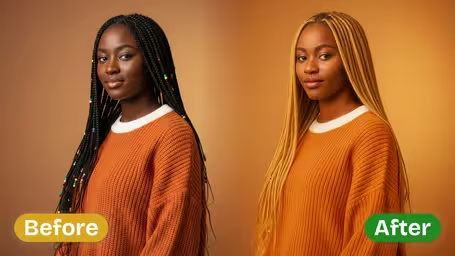
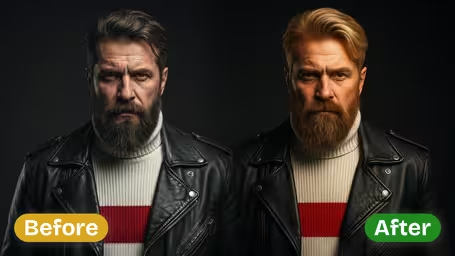
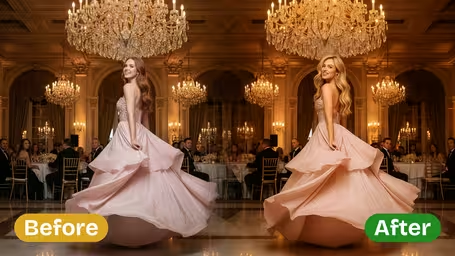
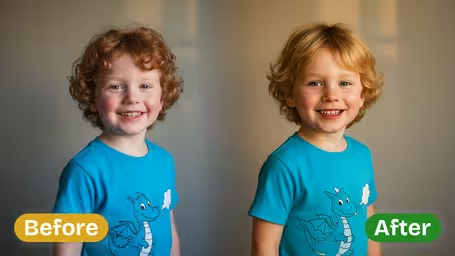
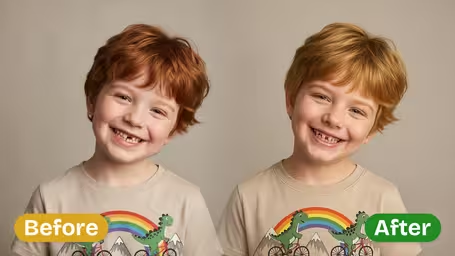





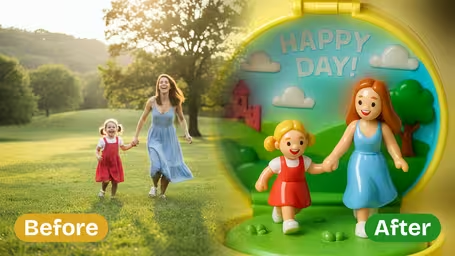
Key Features of Img2Video’s AI Blonde Hair Filter
Test out gorgeous natural blonde shades on any photo instantly with Img2Video’s powerful AI Blonde Hair Filter. Whether you’re testing a new look before dyeing, or creating eye-catching content to share, this tool delivers beautiful results every time.
Vibrant, Stylish Blonde Hair Try-On
Change your hairstyle in any shot in seconds with Img2Video’s AI-powered filter. Apply rich, head-turning blonde shades instantly for a gorgeous look that pops whether you’re posting selfies, sharing portraits, or updating your social feed.
Lifelike Natural Blonde Color Changer
Cutting-edge AI rendering blends your new blonde shade smoothly into your original photo, keeping all the natural shine and texture of your hair while leaving your facial features untouched for professional, incredibly realistic results.
Hassle-Free Blonde Hair Previews
See exactly how you’d look with blonde hair before you commit to a dye job, or craft eye-catching blonde effects that stand out on your social feed with barely any effort.
Get Your Dream Bright Blonde Look Instantly With Img2Video's AI Blonde Hair Filter
Our easy step-by-step guide walks you through using Img2Video's AI-powered blonde hair filter to give any photo a flawless, head-turning vibrant blonde transformation.
Upload Your Photo To Test Your New Blonde Look
Pick any clear photo of you or another person and upload it directly to Img2Video's blonde hair filter tool. Just make sure the full hair area is unobscured so the AI can apply the new color perfectly.
Tips: Well-lit photos with no objects blocking your hair will give you the most natural, believable blonde result.
Let AI Add Your Vibrant Blonde Hair Color
Sit back while Img2Video instantly processes your image and generates a realistic simulation of bright blonde hair. Our AI blends the new color seamlessly into your existing hairstyle for a natural, flawless finish.
Tips: Play around with different filter settings to test out warm, cool, and ash blonde shades until you find your ideal style.
Preview and Save Your Finished Blonde Look Photo
Take a look at your finished transformed photo with your brand new blonde look. When you love how the bright, vibrant effect turned out, just download the image to share on social media or save for future styling inspiration.
Tips: Save multiple versions with different blonde tones to compare side-by-side and pick your absolute favorite.
Frequently Asked Questions: AI Blonde Hair Filter
Get answers to the most common questions about our AI Blonde Hair Filter, the tool that lets you test bright, natural blonde color shades on your own photos.
Flexible AI Pricing
Pay-as-you-go credits or subscription plans. No hidden fees, cancel anytime.