











AI 3D Polly Pocket Generator
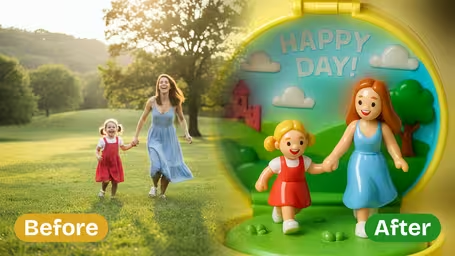
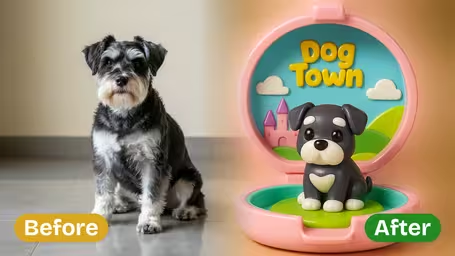
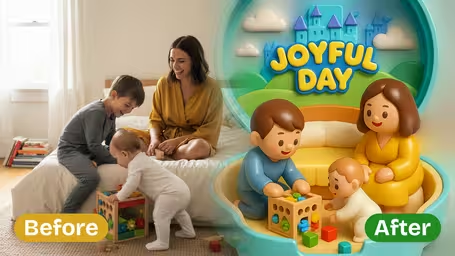
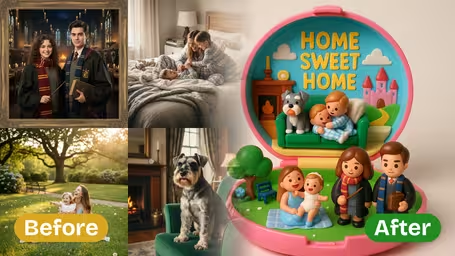
3D Polly Pocket Generator - Transform your photos into miniature 3D Polly Pocket style dioramas inside circular toy cases with simplified toy-like figurines.
Generated results will appear here
After submitting a task, AI-generated content will be displayed here
Example Gallery
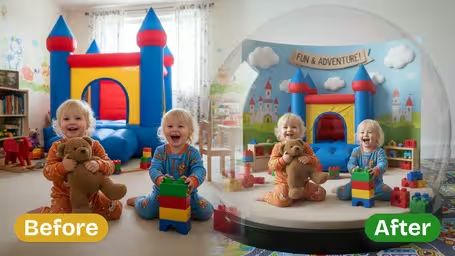
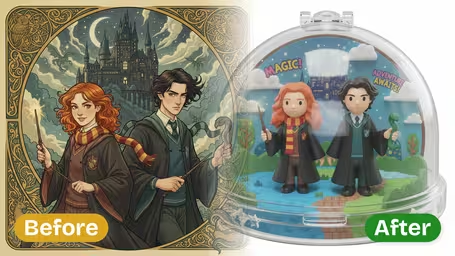
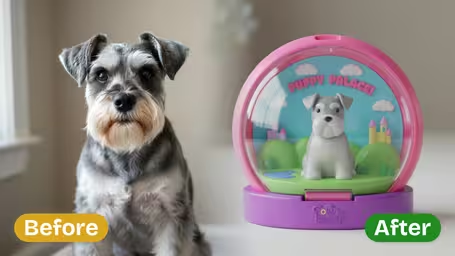






Key Features of Our AI 3D Polly Pocket Generator
Turn your ordinary photos into intricately detailed, collectible-worthy 3D Polly Pocket creations with Img2Video’s AI generator, which delivers charming accuracy and fully personalized themes for every piece.
Turn Any Photo Into a Playful 3D Polly Pocket Masterpiece
Just upload any photo, and our tool instantly converts its main subject into a fun, fully realized 3D image in classic Polly Pocket style. All the key details from your original shot stay intact, while getting an adorable miniature makeover.
Craft One-of-a-Kind Collectible Art Pieces
Turn yourself, your friends, or your family members into totally unique 3D Polly Pocket collectible art. Our generator adapts every creation to match real-life features and details, all wrapped up in that iconic playful toy charm.
Custom Theme-Matched 3D Transformations
Our AI automatically analyzes the clothing, color palette, and background of your upload to create a Polly Pocket image that matches your photo’s original theme, so every transformation perfectly fits the mood and moment you captured.
Turn Any Photo Into Cute 3D Polly Pocket Creations For Free With Img2Video's Generator Tool
Our simple step-by-step guide walks you through using Img2Video's free 3D Polly Pocket generator to convert any photo you have into a charming, whimsical 3D Polly Pocket-style image in minutes.
Upload Your Photo For 3D Polly Pocket Restyling
Pick the photo you want converted to 3D Polly Pocket aesthetic and upload it directly to the Img2Video generator tool.
Tips: Clear, well-lit photos help the tool render more accurate, detailed 3D styles for the best possible result.
Render Your Custom 3D Polly Pocket Image
Let Img2Video's tool process your uploaded photo and reimagine it as a detailed, collectible-style 3D Polly Pocket creation.
Tips: Processing time varies based on how complex your photo is; avoid refreshing the page to ensure smooth, complete rendering.
Download and Share Your 3D Creation
Once your 3D Polly Pocket image is finished rendering, save it to your device and share your unique creation online or with friends.
Tips: Save multiple variants of your image to build a full collection of personalized 3D Polly Pocket-style photos.
Frequently Asked Questions: 3D Polly Pocket Generator
We answer the most common questions about using our 3D Polly Pocket generator, the AI tool that turns any photo into adorable collectible toy-style art.
Flexible AI Pricing
Pay-as-you-go credits or subscription plans. No hidden fees, cancel anytime.