











AI Anime Filter
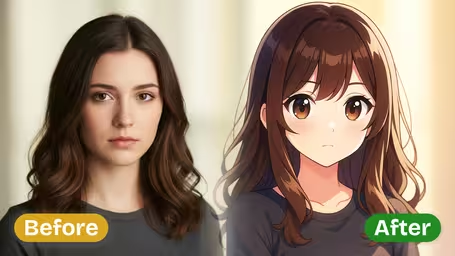
AI Anime Filter - Transform your photos into stunning anime-style artwork with highly stylized features, smooth skin textures, and expressive anime characteristics.
Generated results will appear here
After submitting a task, AI-generated content will be displayed here
Example Gallery

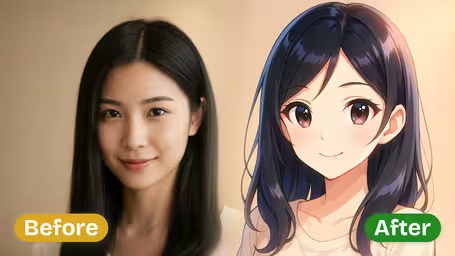
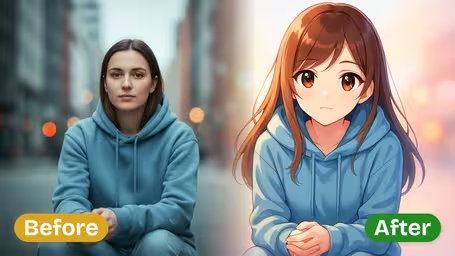
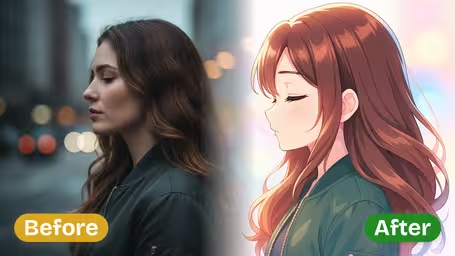
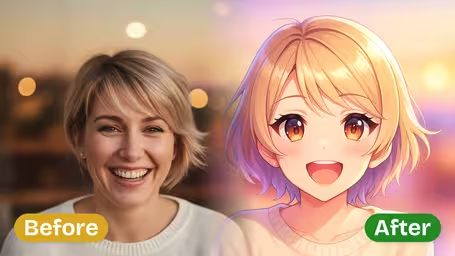





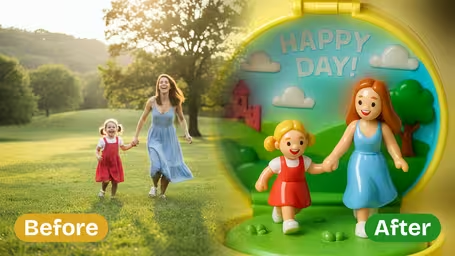
Key Features of Img2Video's AI Anime Filter
Unlock stunning anime-style art from your everyday photos with Img2Video’s AI anime filter, which retains all your unique personal traits while delivering vivid, professional-looking results.
Turn Any Photo Into Custom Anime Art
Jump straight into the fun of anime creativity: just upload your photo, and Img2Video’s AI automatically adds bold vivid colors, crisp defined lines, and soft smooth shading to generate a dynamic anime artwork in just minutes.
Authentic, True-To-Style Anime Conversion
Cutting-edge AI algorithms analyze every detail of your original photo to craft a high-quality anime illustration that perfectly matches classic anime aesthetics, resulting in a vibrant, polished final image that looks authentic to the style.
Retain All Your Unique Facial Traits
Smart facial mapping technology makes sure your signature expressions, one-of-a-kind features, and personal identity stay clear and recognizable in your new anime style, enhancing your individuality instead of covering it up in the final result.
Step-by-Step Guide: Turn Your Photos Into Custom Anime Style With Img2Video’s AI Anime Filter
Our easy walkthrough shows you how to use Img2Video’s AI anime filter to convert any regular photo into an eye-catching anime artwork packed with rich saturated colors and dynamic stylized effects.
Upload Your Target Photo
Kick off your transformation by uploading the photo you want to convert to anime style. For the best results, pick a sharp, high-resolution photo that lets the AI easily pick up on facial features and unique expressions.
Tips: Well-lit shots with clear facial details will always give you the most polished, natural-looking anime conversion.
Apply the Anime Filter
Hit the Create button to let Img2Video’s powerful AI work its magic on your photo. The tool will turn your original image into a true-to-style anime illustration, keeping all your unique core features while adding smooth professional shading and crisp bold outlines.
Tips: Try out multiple different photos of different subjects to discover all the one-of-a-kind anime effects and styles the filter can create.
Download Your Anime-Style Image
As soon as the AI finishes converting your photo, download the finished anime artwork straight to your device. You can keep it for personal use, post it to your social feeds, or use it as a fun custom profile avatar.
Tips: Double-check the final image quality before saving, and don’t forget to keep a backup of your original photo if you want to try new effects later.
AI Anime Filter FAQ
Get answers to all your top questions about our AI anime filter, which turns ordinary photos into eye-catching anime art. We cover how to use the tool, technical requirements, pro tips for great results, and fixes for common issues.
Flexible AI Pricing
Pay-as-you-go credits or subscription plans. No hidden fees, cancel anytime.