











3D Chibi Character OOTD
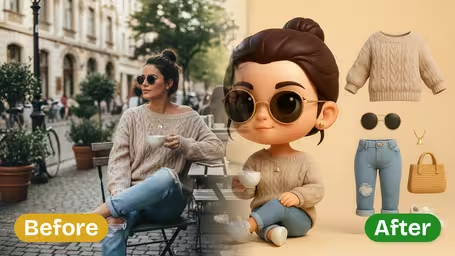
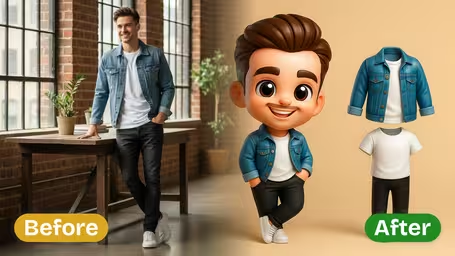
Transform the subject into a 3D chibi-style character with oversized head, large expressive eyes, small body proportions, smooth skin texture, and glossy toy-like rendering. Maintain the exact outfit details (colors, patterns, accessories, and textures) as the original photo, presenting them as simplified but polished 3D cartoon clothing. Display the chibi character on a clean solid-color background along with the separated outfit pieces shown as floating references. Lighting should be soft, even, and bright, emphasizing playful and collectible figure aesthetics.
Generated results will appear here
After submitting a task, AI-generated content will be displayed here
Example Gallery

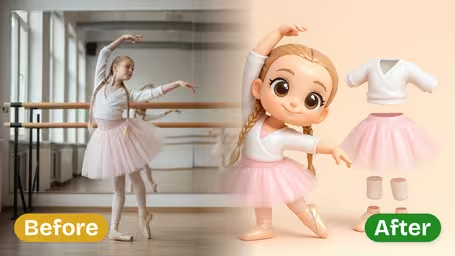
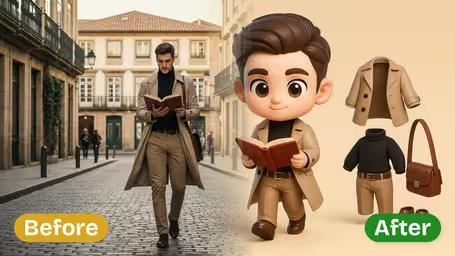
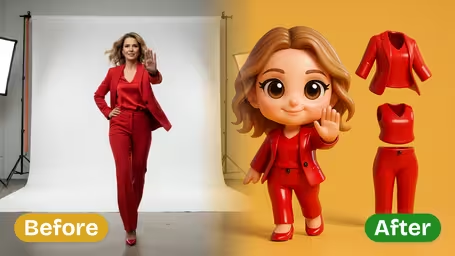
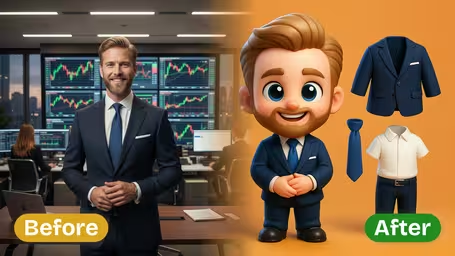





AI 3D Chibi Character OOTD Generator Features
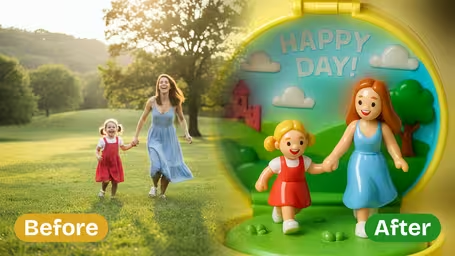
See how Img2Video’s AI-powered 3D Chibi Character OOTD Generator turns regular photos of people into polished, cute Chibi characters that perfectly replicate your original outfit for adorable, shareable OOTD displays.
Transform Person into Chibi with OOTD
Turn the person in your original photo into a charming Chibi-style character while keeping all the unique details and vibe of your outfit, resulting in a bright, playful finished OOTD display perfect for sharing.
Accurate Outfit Replication
Every detail of your original outfit gets recreated carefully in detailed Chibi form, placed prominently in your final image so every style choice stays true to your original look for a perfect OOTD showcase.
High-Quality Chibi Output
Optimized for processing single-person photos, this tool generates crisp, well-focused Chibi character images with a clean, uncluttered final result that puts all focus on your great outfit.
Step-by-Step Guide: Make Adorable 3D Chibi OOTD Character Displays With Img2Video's Generator
Learn how easy it is to turn any photo of a person into a charming 3D chibi OOTD (Outfit of the Day) display with Img2Video. Our generator preserves your original outfit details to deliver a bright, irresistibly cute finished character image.
Upload a Clear Image of a Single Person
Pick a high-resolution photo that only includes one person to upload to the tool. This lets Img2Video’s chibi generator pick up every detail of your original outfit and build an accurate, clean character display.
Tips: Well-lit shots where the full outfit is easy to see will give you the most accurate, true-to-original OOTD result.
Generate Your Chibi Character OOTD Display
Sit back while Img2Video processes your upload to generate a full 3D chibi character that perfectly shows off the person’s original outfit. Our tool recreates every clothing detail in a bright, playful cartoon style for a fun, eye-catching display.
Tips: Give the tool time to finish processing to get the most detailed, accurate rendering of your original outfit.
Download the Final Chibi Character Image
As soon as your chibi OOTD display is finished, save the completed image directly to your device. It’s ready to share on social media, use for design inspiration, or add to your personal character collection.
Tips: Double-check that the finished image matches what you wanted before you share it or print it out.
FAQ: Img2Video AI 3D Chibi Character OOTD Generator
This FAQ answers all the most frequently asked questions about using Img2Video’s AI 3D Chibi Character OOTD generator, including guidance on image uploads, technical requirements, best practices, and troubleshooting to help you get optimal outfit display results.
Flexible AI Pricing
Pay-as-you-go credits or subscription plans. No hidden fees, cancel anytime.