











AI Bald Filter
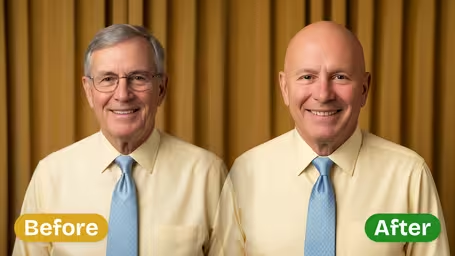
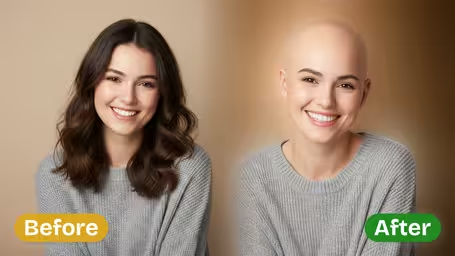
AI Bald Filter - Apply an AI bald filter transformation that digitally removes all hair from the subject's head, leaving a smooth, natural-looking bald scalp with realistic skin texture and lighting consistency.
Generated results will appear here
After submitting a task, AI-generated content will be displayed here
Example Gallery
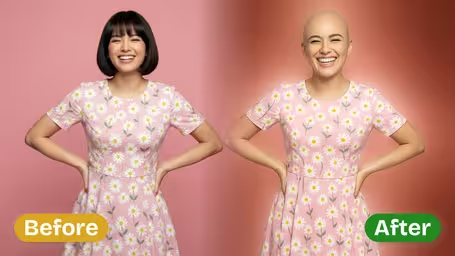
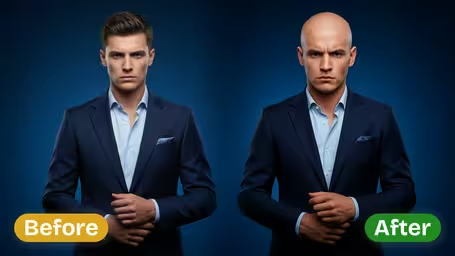
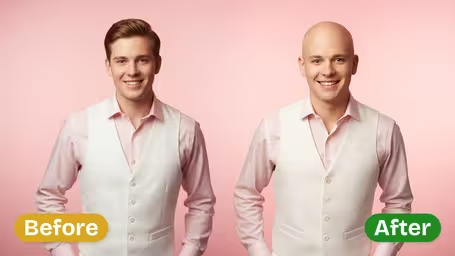
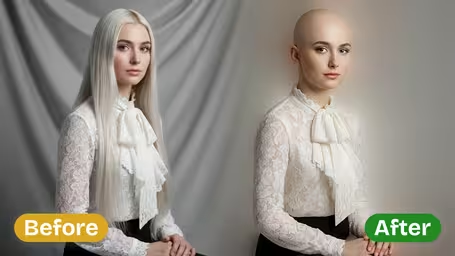






Key Features of Img2Video’s AI Bald Filter
Try Img2Video’s AI-powered Bald Filter to transform your appearance in one click, get realistic bald head results, and enjoy a simple tool that’s easy to use and share with friends.
Preview Your Bald Look In Seconds
Ever wondered what you’d look like without hair? Just upload a photo and our AI tool will generate a realistic scalp image in moments. It’s ideal for testing a new aesthetic or goofing off with friends online.
Convincing, Natural-Looking Bald Effects
Cutting-edge image processing preserves your unique facial shape, natural skin tone, and original image clarity, so your new bald look reads as authentic while keeping all your recognizable features intact.
Lightning-Fast Result Generation
Skip long waits for processing: our AI bald filter delivers your finished edited photo almost instantly. It’s perfect for quick fun, viral social content, and getting reactions from your connections right away.
Step-by-Step Guide to Using Img2Video’s AI Bald Filter for Instant Bald Look Previews
Our simple walkthrough shows you how to use Img2Video’s AI-powered bald filter to edit your photos, get an instant realistic preview of how you’d look bald, and share your fun new look with zero hassle.
Upload a Clear Front-Facing Image
Pick a high-resolution, front-on photo of yourself or someone else you want to edit. This lets the AI detect facial contours precisely, resulting in a far more natural, realistic effect.
Tips: For the best outcome, choose a photo with even, bright lighting and no items covering your head like hats or large hair accessories.
Create Your Bald Look
Tap the create button to start processing your photo with Img2Video’s AI bald filter. Our advanced intelligent imaging tech automatically applies the bald transformation to your image in seconds.
Tips: A steady internet connection will keep generation fast and prevent unexpected delays when creating your new look.
Preview and Share the Transformation
Check out your finished, realistic bald transformation right after processing. If you love how it turned out, you can save the edited image directly to your device or share it with friends to show off your fun new look.
Tips: Save the image for your own reference, or post it to your social media feeds to get fun, entertaining reactions from your followers.
AI Bald Filter FAQ
This FAQ answers all the most common questions about using the AI bald filter photo effect, covering how it works, photo requirements, usage tips, and troubleshooting guidance.
Flexible AI Pricing
Pay-as-you-go credits or subscription plans. No hidden fees, cancel anytime.