











AI Wavy Hair Filter
AI Wavy Hair Filter - Transform your hair to wavy style with natural waves, flowing texture, beachy wave appearance, and soft voluminous look.
Generated results will appear here
After submitting a task, AI-generated content will be displayed here
Example Gallery
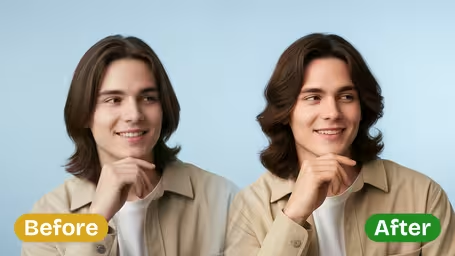
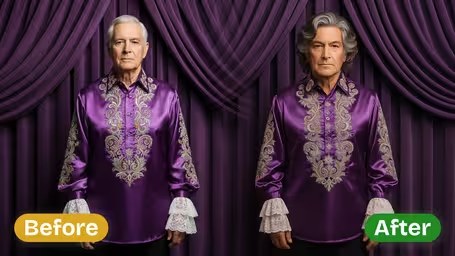
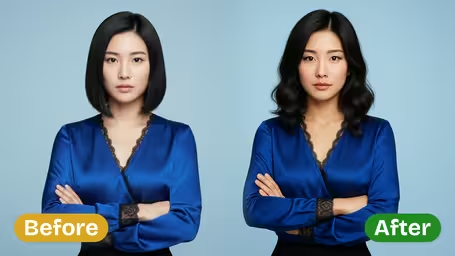
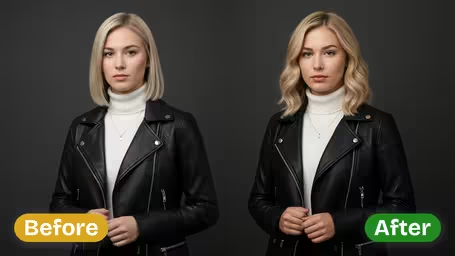
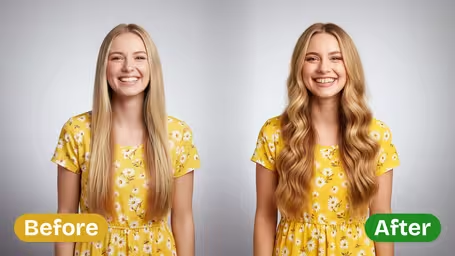
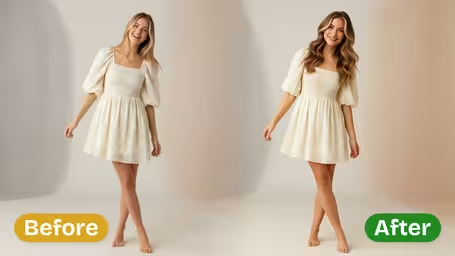






Key Features of Img2Video’s AI Wavy Hair Filter
Level up any photo with Img2Video’s AI-powered wavy hair filter, which adds soft, natural-flowing waves and laid-back chic style to give you a polished, head-turning look, 100% free of charge.
No-Fuss Waves Ready In Seconds
Instantly refresh your photo with AI-created wavy hair that gives you a breezy, on-trend look, no time-consuming manual styling required.
Realistic Naturally Flowing Wave Texture
Get realistic, full-bodied waves with soft bends and natural shine that blend perfectly into your current hairstyle for a seamless, flawless result.
Shiny Salon-Quality Finished Look
Achieve a sleek, glossy wavy hair style that looks just like professional salon styling, works for every hair type, and is ideal for sharing to all your social media feeds.
Get Gorgeous Natural Wavy Hair Instantly: Step-by-Step Guide to Img2Video’s Free Photo Filter
Learn our easy step-by-step process to upgrade any photo with Img2Video’s wavy hair filter, for instantly effortless, natural-looking waves that elevate your whole look.
Upload Your Portrait to Activate the Wavy Hair Effect
Pick a clear portrait of yourself and upload it to Img2Video, and our AI will get right to work adding beautiful, natural waves to your hair.
Tips: Stick to well-lit photos that show your existing hair clearly to get the most realistic, natural-looking finished result.
Let AI Apply Your Natural Waves Filter in Seconds
Sit back while Img2Video’s AI processes your image, seamlessly blending soft, shiny waves into your hair for an effortlessly chic finished look.
Tips: Play around with different wave intensity settings until you land on the exact look that fits your personal style.
Download or Share Your Stunning New Wavy Hair Photo
Save your updated image to your device or post it straight to social media to show off your fresh, naturally wavy new look.
Tips: Sharing high-res files keeps your realistic wave texture and glossy finish looking crisp and high-quality.
FAQ: Wavy Hair Filter Photo Effect
Get answers to all your most frequently asked questions about using the wavy hair photo filter, including application tips, how to achieve a natural finish, and fixes for common issues.
Flexible AI Pricing
Pay-as-you-go credits or subscription plans. No hidden fees, cancel anytime.