











AI Sticker Generator
Transform your photos into sticker designs with clean cutouts, vibrant colors, and die-cut appearance
Generated results will appear here
After submitting a task, AI-generated content will be displayed here
Example Gallery
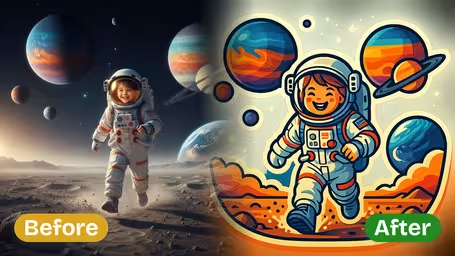
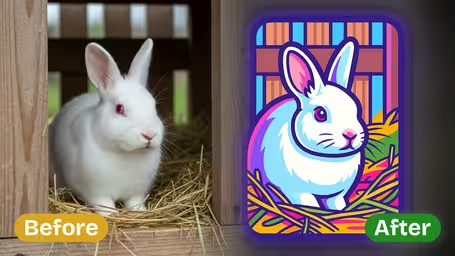
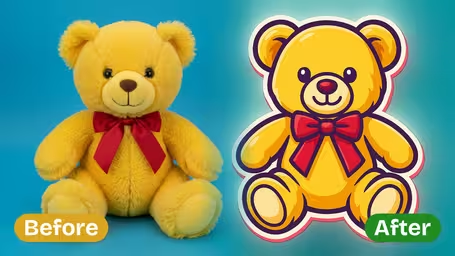
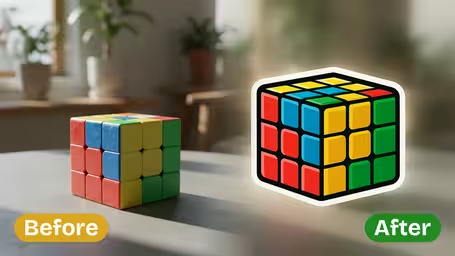






Key Features of Img2Video’s AI Sticker Generator
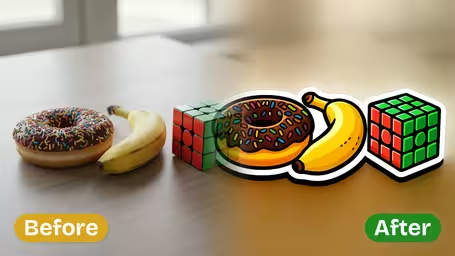
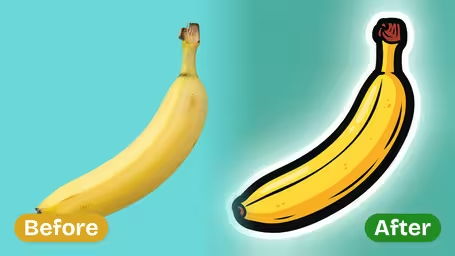
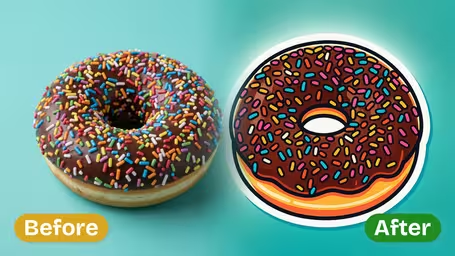
Explore what makes Img2Video’s AI Sticker Generator stand out: it converts ordinary images into adorable flat stickers with a playful cartoon look, wrapping all subjects in one clean, unified design.
Convert Any Image to an Adorable Flat Sticker
Upload any image you have, and our AI will turn it into a polished flat sticker complete with bold outlines and bright, eye-catching colors. It streamlines messy complex details without losing the core character of your subjects for a visually appealing result every time.
Cohesive Single Stickers for Multiple Subjects
Turn images with more than one subject into a single, smoothly connected sticker design without hassle. Our AI blends every person and object together naturally, so nothing gets cut out or left behind in your finished flat sticker.
Playful Cute Cartoon Style
Give your stickers a one-of-a-kind cartoon look that amplifies your subjects with fun, lovable details. These stickers are ideal for decorating all kinds of projects or adding a personal, expressive touch to your images.
How to Turn Images with Multiple Subjects into Charming Flat Cartoonish Stickers using Img2Video Generator
Follow these simple steps to transform your images with multiple subjects into adorable flat stickers using the Img2Video AI sticker generator.
Upload an Image with Multiple Subjects
Choose and upload an image that clearly features all the subjects you want, such as people, pets, or objects, so the Img2Video generator can capture them accurately in sticker form.
Tips: Use high-quality images with well-lit subjects to ensure the generator produces crisp and vibrant flat sticker results.
Let Img2Video Generate Your Flat Cartoonish Sticker
Wait while the Img2Video AI processes your image, converting all included subjects into a unified, charming flat sticker with bold outlines and playful colors.
Tips: The generator works best when subjects are not obscured or overlapping excessively, helping it create a cohesive cartoonish look.
Download and Share Your Custom Sticker
Once your flat sticker is ready, download it to your device and share it across social media, messaging apps, or print it for physical use.
Tips: Save your sticker in high resolution to keep all the cartoonish details crisp for printing or enlarging.
Frequently Asked Questions: AI Sticker Generator
Get clear answers to all the most common questions about our AI sticker generator, the tool that turns your photos into adorable clean flat cartoon stickers.
Flexible AI Pricing
Pay-as-you-go credits or subscription plans. No hidden fees, cancel anytime.