




Logo

AI Skinny Filter

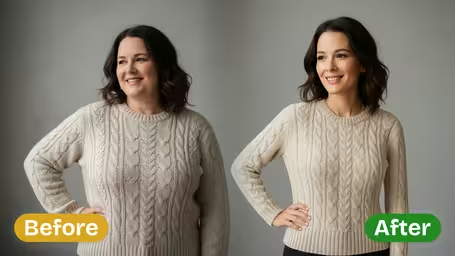
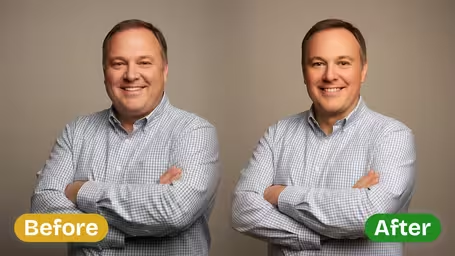
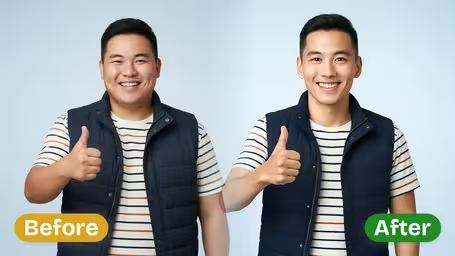
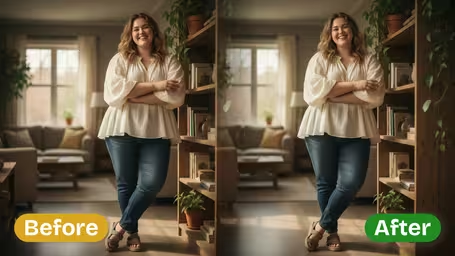
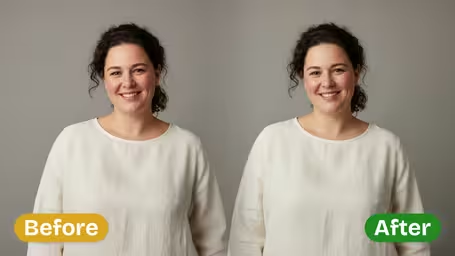
AI Skinny Filter - Make the person appear slimmer and more toned with natural body proportions, subtle body contouring, realistic slimming effect, maintained facial features, natural body shape enhancement, authentic weight transformation, proportional body refinement.

Input Photo*
Upload or Select File

Generated results will appear here

After submitting a task, AI-generated content will be displayed here

Public

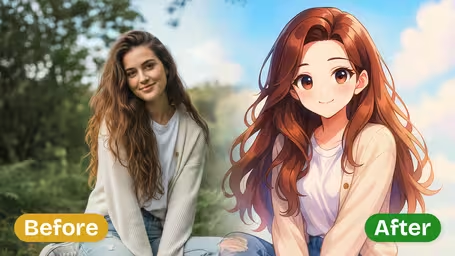
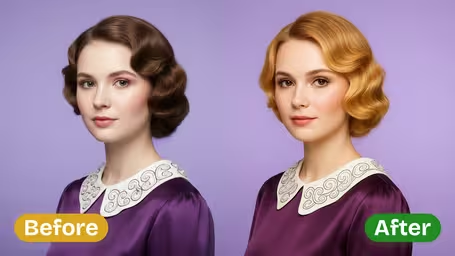
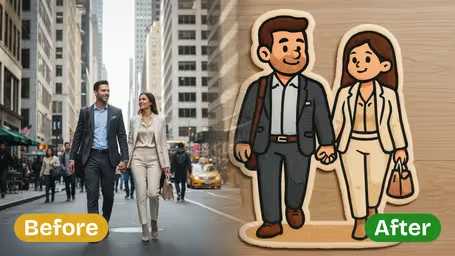
Example Gallery

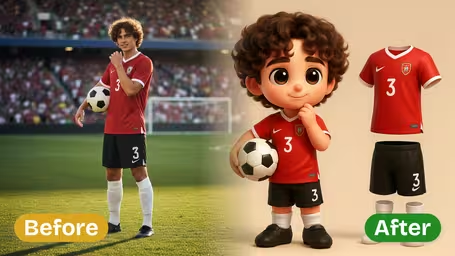
Example 1
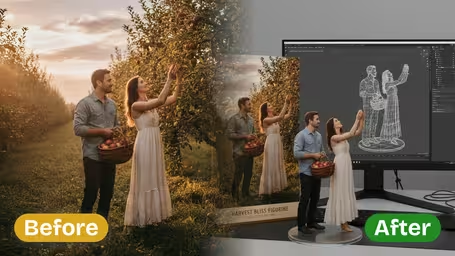
Example 2
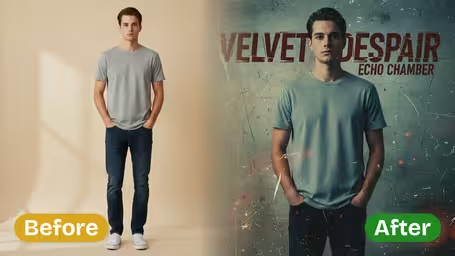
Example 3
Example 4
Example 5
Example 6

Key Features of Img2Video's AI Skinny Filter

Get beautifully polished, authentic-looking photos with Img2Video’s AI Skinny Filter, which delivers gentle, natural slimming that leaves your original body contours completely intact.

Polish Your Silhouette With Zero Hassle

Our AI intelligently sculpts body contours in portrait photos to give you a confident, flattering look that needs no heavy manual editing. It’s ideal for everything from social media posts to your personal photo archives.

Genuinely Natural-Looking Slimming

This filter adds a soft, realistic slimming adjustment that keeps your natural body proportions intact, boosting your silhouette without sacrificing the authentic feel of your original photo.

Get a Slim Defined Figure Instantly

Instantly get a defined waist, streamlined arms, toned abs and slim legs. All you have to do is upload your photo and your body contours are transformed effortlessly, no workouts or restrictive diets required.

How to Effortlessly Use Img2Video's Skinny Filter for a Natural, Authentic Look in Photos

Follow these simple steps to apply Img2Video’s skinny filter, refine body contours, and create a polished, natural look in your photos effortlessly.

1

Upload Your Photo

Choose and upload a clear photo of yourself or others where body contours are visible for best results.

Tips: For a more natural and authentic look, use high-quality, well-lit photos.

2

Apply the Skinny Filter

Allow Img2Video’s AI to effortlessly refine body contours, subtly slimming the figure while preserving natural proportions.

Tips: This process creates a polished look without over-editing, ensuring the photo remains realistic.

3

Review and Download Your Enhanced Photo

Check the slimmer, authentic look achieved in your photo and download it instantly for sharing or keeping.

Tips: If needed, re-upload and adjust settings for even more refined body contouring.

AI Skinny Filter FAQ

Get clear answers to all your most common questions about using the AI Skinny Filter, which lets you easily achieve a naturally slimmer look in your photos with minimal effort.

The AI Skinny Filter gently refines body contours in your photos, applying a subtle slimming effect that keeps your natural body proportions fully intact. It creates a flattering, authentic result that preserves all your unique recognizable features while elevating your entire photo.
Absolutely. The AI Skinny Filter adjusts your silhouette in a natural way, letting you see a realistic slimmer version of yourself while keeping all your original facial and body details unchanged. This gives you a simple, hassle-free preview that never alters your core authentic appearance.
You can share them to your social media platforms to boost your confidence, keep them as motivation for your personal body goals, or store them in your private photo collection as inspiration. The natural slimming effect ensures your photos still look completely authentic while getting a subtle flattering enhancement.
Yes. Img2Video offers a free trial with limited credits to apply the skinny filter to your photos. For unlimited usage and access to more editing features, you can upgrade to a paid plan.
Absolutely. The AI Skinny Filter is designed to naturally refine body contours only, so your face, expressions, and all other unique features remain completely unchanged. The result is an authentic look with a subtly slimmer body appearance that is still unmistakably you.

Flexible AI Pricing

Pay-as-you-go credits or subscription plans. No hidden fees, cancel anytime.

Popular

Pro

Boost your AI workflow

179.99
1 Year
USD
800credits1 Month
Early Access
20 GB(Storage Space)
10(Maximum Projects)
Team Members
0 minutes1 Month
0 snippets1 Month
API Calls
Up to 40 videos1 Month
Up to 200 images1 Month
3 tasks(Parallel Tasks)
Multi-model Support
Text to Video
Image to Video
Video to Video
Consistent Character
Animation Generator
Templates & Effects
Video Enhancers
Community
Faster Generation
No Watermark
Camera Movement
Private Visibility
Copy Protection
Priority Support

Max

Scale your video generation

599.99
1 Year
USD
2800credits1 Month
Up to 140 videos1 Month
Up to 700 images1 Month
3 tasks(Parallel Tasks)
Multi-model Support
Text to Video
Image to Video
Video to Video
Consistent Character
Animation Generator
Templates & Effects
Video Enhancers
Community
Faster Generation
No Watermark
Camera Movement
Private Visibility
Copy Protection
Priority Support

Ultra

Maximum capacity and priority

2999.99
1 Year
USD
16000credits1 Month
Up to 800 videos1 Month
Up to 4000 images1 Month
3 tasks(Parallel Tasks)
Multi-model Support
Text to Video
Image to Video
Video to Video
Consistent Character
Animation Generator
Templates & Effects
Video Enhancers
Community
Faster Generation
No Watermark
Camera Movement
Private Visibility
Copy Protection
Priority Support