











AI Silhouette Generator
Transform photos into artistic silhouettes with clean outlines, dramatic contrast, and customizable backgrounds and colors.
Generated results will appear here
After submitting a task, AI-generated content will be displayed here
Example Gallery
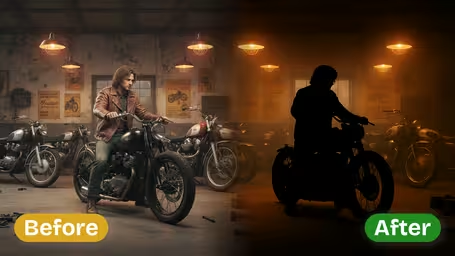
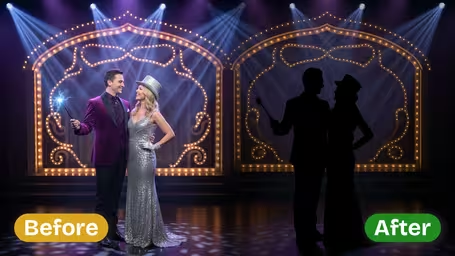
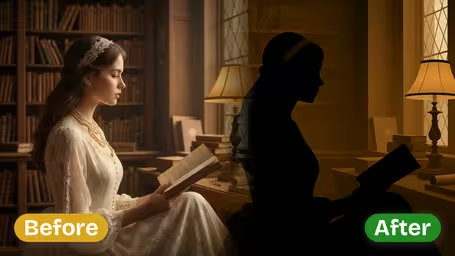
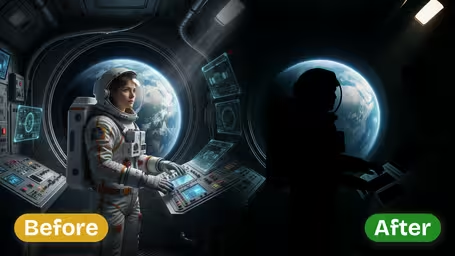
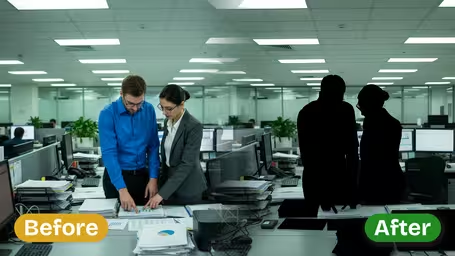
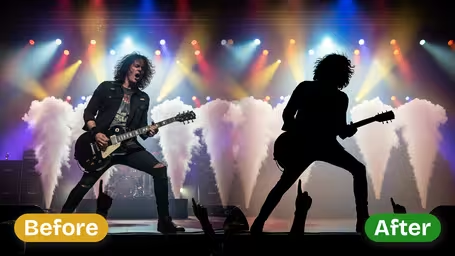
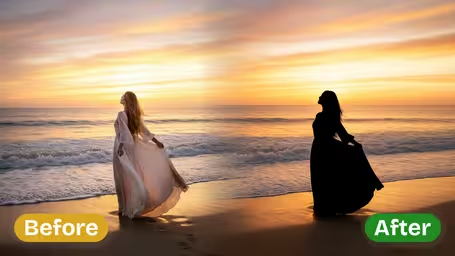






Key Features of Img2Video’s AI Silhouette Maker
Turn any ordinary photo into eye-catching silhouettes with Img2Video’s AI-powered tool that keeps your original image’s mood, detail, and quality intact — all 100% free to use.
Effortless Silhouette Generation
Get beautiful custom silhouettes from any photo in just a few clicks, turning basic snapshots into dramatic, striking visuals without needing any complex editing software or skills.
Precise Shape & Proportion Accuracy
Every silhouette our AI creates retains the true natural shape and original proportions of your subject, so your finished image stays instantly recognizable and professionally polished.
Atmosphere-Conserving Backgrounds
Leave your original photo background untouched when you apply the silhouette effect, preserving all the context, mood, and visual depth of your original shot for a richer, more dynamic finished result.
Step-by-Step Guide: Make Gorgeous Silhouette Photo Effects With Img2Video’s Free AI Silhouette Tool
Our straightforward walkthrough shows you how to turn any regular photo into eye-catching silhouettes with Img2Video’s AI-powered tool. Getting beautiful, one-of-a-kind visual effects is quick, completely free, and requires no advanced editing skills.
Upload Your Photo to the Silhouette Maker
Begin by picking and uploading the photo you want to turn into a polished silhouette. Img2Video’s AI immediately gets your image ready for processing, all while keeping your original image quality intact.
Tips: For the sharpest, cleanest final silhouette, pick a photo where your main subject has clear, defined edges.
Create Your Stunning Silhouette
Tap the Create button to let Img2Video’s AI silhouette generator do its work. Sit back and watch your original photo transform into a perfectly shaped silhouette that retains all your subject’s key proportions and details.
Tips: Try uploading different source photos to test out a wide range of silhouette styles and unique visual effects.
Save or Share Your Silhouette Image
Save your brand new silhouette straight to your device, or share it instantly to your go-to social platforms. Show off your creative work and enjoy the one-of-a-kind visual effect you created completely for free.
Tips: Use the saved silhouettes to enhance creative projects, social media posts, or custom merchandise.
AI Silhouette Maker FAQ
Get clear answers to all your most common questions about our free AI-powered tool that turns your personal photos into eye-catching, professional-looking silhouettes.
Flexible AI Pricing
Pay-as-you-go credits or subscription plans. No hidden fees, cancel anytime.