











PS2 Filter
PS2 Filter - Transform your photos into PlayStation 2 era 3D game graphics with low-polygon models and early 3D rendering style.
Generated results will appear here
After submitting a task, AI-generated content will be displayed here
Example Gallery
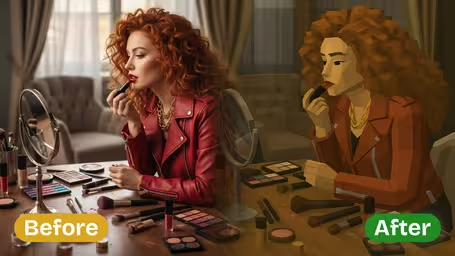

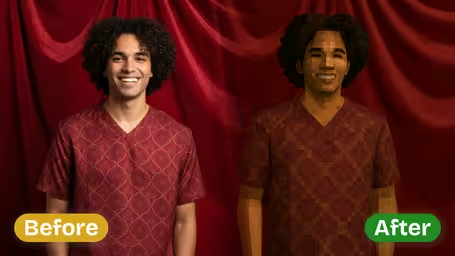
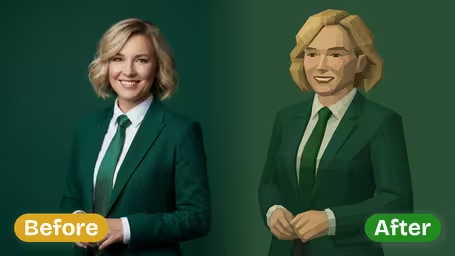
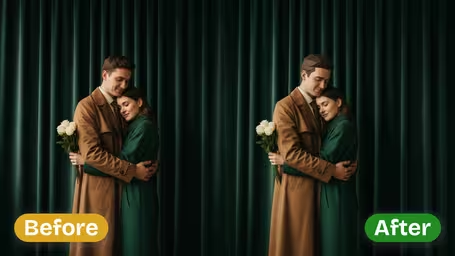
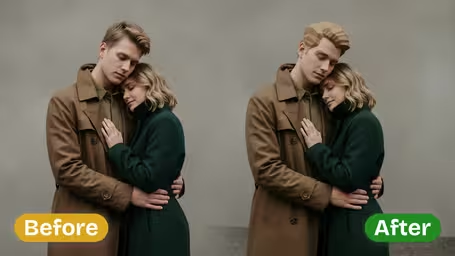






AI PS2 Filter Features
Relive your favorite retro gaming memories with Img2Video’s AI PS2 filter, which converts any ordinary photo into authentic PlayStation 2-inspired graphics packed with bright hues, sharp pixel details, and one-of-a-kind vintage gaming appeal.
Turn Photos into Retro PS2 Game Style
Apply our AI-powered filter to any image to get that instantly recognizable classic PS2 visual style. Portraits of friends, scenic landscapes, or cute pet photos all get the signature blocky, pixelated look that defined early 2000s retro gaming.
Nostalgic Graphics with Modern Effects
Our filter adds bold outlines, saturated rich colors, and authentic period-specific textures to your photos, matching the iconic aesthetic of beloved PS2 games while retaining modern crisp, clean quality.
Pixel-Perfect Image Details
Get consistently accurate, on-point visual effects for every photo, with carefully balanced lighting and shadows, plus sharp defined edges, for a final result that feels perfectly authentic to classic PS2 graphics.
Turn Any Photo Into Retro PS2 Graphics: A Complete Guide to Using Img2Video’s AI PS2 Filter
Our easy step-by-step guide walks you through using Img2Video’s AI-powered PS2 filter to convert your regular photos into nostalgic, eye-catching retro PS2 graphics, complete with bold, vibrant colors and authentic pixelated effects.
Upload a Sharp, Well-Lit Source Photo
Pick a high-resolution, evenly lit image stored on your device and upload it directly to Img2Video’s AI PS2 filter tool. Sharp, clear source images let the filter render detailed, authentic PS2-style graphics far better.
Tips: Steer clear of blurry, grainy, or underexposed photos to guarantee your final retro image comes out sharp, vivid, and true to the PS2 aesthetic.
Tweak Filter Settings to Match Your Ideal Aesthetic
Leverage the built-in customization tools to dial in your favorite take on classic PS2 graphics. Adjust core elements including color balance, edge outlines, and pixelation intensity to get the exact retro gaming look you want.
Tips: Try out different combinations of settings to get a look that feels truly authentic to the iconic original PS2 visual style.
Save or Share Your Finished PS2-Style Image
After your PS2-style photo finishes generating, save it straight to your device or share it directly with friends to show off your new retro creation and hear what they think.
Tips: Sharing your new retro graphics on social media is a great way to add a fun, nostalgic vibe to your content feed.
AI PS2 Filter FAQ
Get answers to all your most common questions about Img2Video’s AI-powered PS2 filter, which converts your ordinary photos into nostalgic images styled after classic PS2 graphics.
Flexible AI Pricing
Pay-as-you-go credits or subscription plans. No hidden fees, cancel anytime.