











AI Pixel Dissolve Effect
Apply pixel dissolve effect to photos with pixelated dissolution, digital glitch aesthetic, fragmented pixel appearance.
Generated results will appear here
After submitting a task, AI-generated content will be displayed here
Example Gallery
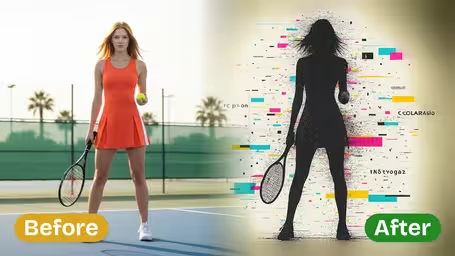
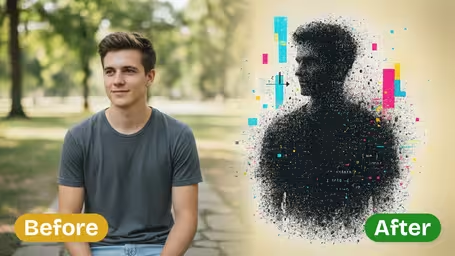






AI Pixel Dissolve Effect Features
Turn any ordinary photo into a head-turning retro glitch silhouette with Img2Video’s AI Pixel Dissolve Effect, blending dynamic pixel fragmentation and energetic digital chaos to create truly striking works of art.
Retro Glitch Silhouette with Standout Pixel Flair
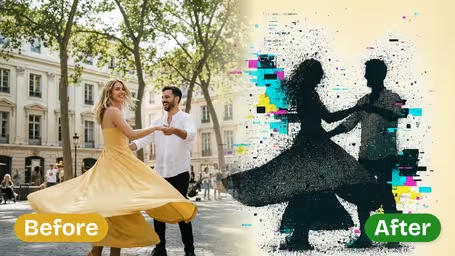
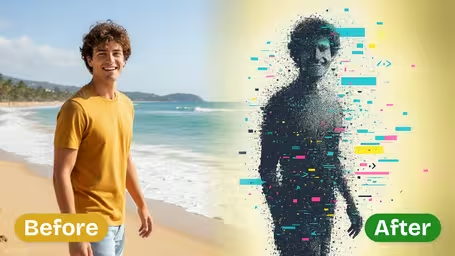
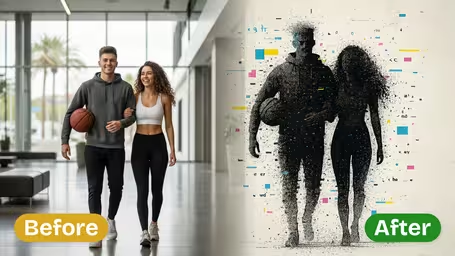
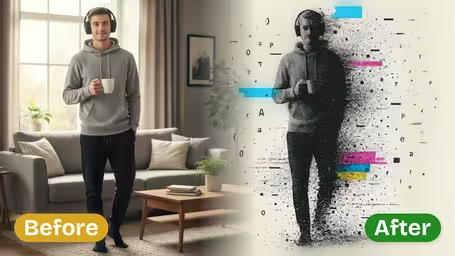
Just upload your photo and watch it instantly convert to a bold black pixel silhouette, with edges that dissolve into scattered fragments over a storm of ASCII text and vivid cyan, yellow, and magenta glitch blocks for a powerful, memorable retro-digital aesthetic.
Dynamic Pixel Dissolve for Bold Silhouette Work
Your core subject stays sharp as a dense black pixel silhouette, while its edges fracture into loose pixel fragments to create an intense dissolve effect perfect for edgy digital art and classic retro glitch compositions.
Vibrant Glitch Art on a High-Contrast Chaotic Canvas
Elevate your original photo with a layered glitch effect that wraps your silhouette in a flurry of ASCII characters and richly saturated glitch blocks, set against a stark white background to maximize visual punch and chaotic retro energy.
Step-by-Step Guide: Craft a Bold Retro Glitch Pixel Dissolve Silhouette Photo Effect with Img2Video
Learn how to turn any ordinary photo into an eye-catching retro digital artwork in minutes with Img2Video’s signature pixel dissolve glitch silhouette effect.
Upload a Clear Subject Photo for Pixel Conversion
Pick and upload a sharp, high-res photo featuring one clear main subject like a single person. Good lighting and high resolution help Img2Video’s pixel dissolve effect render a crisper, bolder silhouette.
Tips: A contrasting background between your subject and backdrop will deliver the most polished retro digital art outcome.
Activate the Retro Glitch Pixel Dissolve Effect
Img2Video’s AI will instantly turn your subject into a dramatic black pixel silhouette, complete with dynamic dissolving edges, surrounded by lively glitch art details and chaotic ASCII patterns.
Tips: If adjustable settings are available, tweak the dissolve intensity and glitch color balance to perfectly match your photo.
Export and Share Your Finished Digital Glitch Art
Once you love how your retro pixel dissolve effect looks, save the high-resolution file or share it straight to social media to show off your bold new digital artwork.
Tips: Save your work as a PNG to keep all the vibrant color and detail of your glitch art intact.
FAQ: AI Pixel Dissolve Effect
Find answers to the most common questions about using the AI Pixel Dissolve Effect to turn your personal photos into bold, retro glitch silhouette digital art.
Flexible AI Pricing
Pay-as-you-go credits or subscription plans. No hidden fees, cancel anytime.