











AI Photo to Sketch Converter
AI Photo to Sketch Converter - Transform photo into sketch with hand-drawn line work, artistic shading, sketching techniques, artistic interpretation, capturing essential forms and textures, professional artistic rendering, detailed line quality, authentic sketch aesthetic.
Generated results will appear here
After submitting a task, AI-generated content will be displayed here
Example Gallery
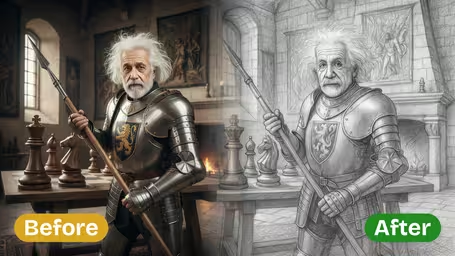
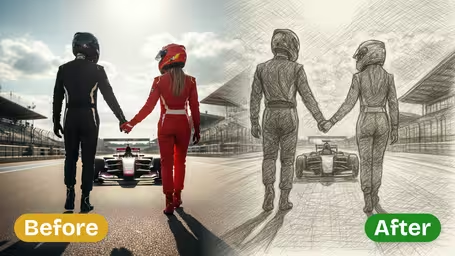
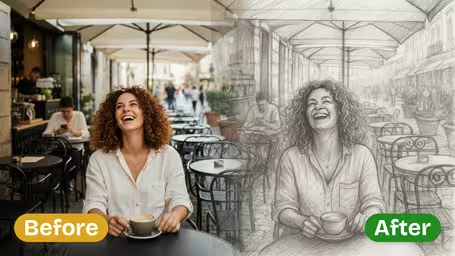
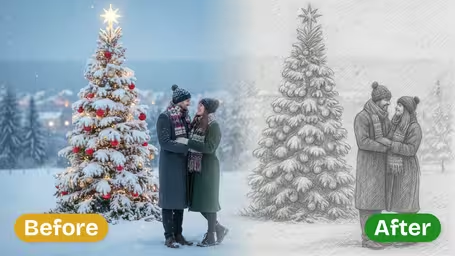
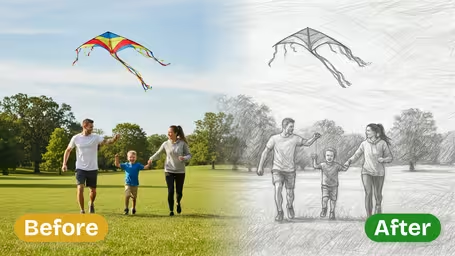
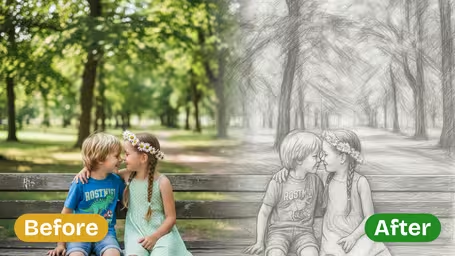






Photo to Sketch Features
Unlock authentic hand-drawn pencil sketches from any photo in seconds with Img2Video’s photo to sketch tool, bringing intricate, true-to-life detail to every conversion.
Turn Photo into Detailed Pencil Sketch
Get richly detailed pencil sketches from any photo in just a few clicks. Our AI-powered tool captures the authentic soul of hand-drawn art, keeping your original photo’s unique character while infusing it with one-of-a-kind artistic style.
Realistic Hand-Drawn Line Effects
Every image is processed with precisely tuned shading, crisp fine lines, and natural organic contours. Subtle cross-hatching and soft gradient shading mimic the true feel of pencil on paper, for a completely hand-made look.
Instant Photo to Sketch Conversion
Just upload your photo and get a polished finished line drawing instantly, with no confusing adjustments or complex settings. Our AI-driven workflow produces gallery-quality sketches ready to post, print, or share right away.
Turn Any Photo Into a Realistic Pencil Sketch With Img2Video: Step-by-Step Guide
Follow our easy walkthrough to convert your favorite photos into lifelike hand-drawn pencil sketch line art using the Img2Video photo-to-sketch tool.
Upload Your Photo
Get started by selecting the image you want to convert into a sketch, then add it to the tool. You can use the upload button to pick a file from your device, or drag and drop your photo directly into the Img2Video interface.
Tips: For best results, use high-resolution, well-lit photos with clear subjects to make your pencil sketch details crisp and eye-catching.
Let Img2Video Process the Image
Once your photo finishes uploading, Img2Video instantly processes it and converts it into a line drawing with authentic pencil strokes, natural realistic shading, and true hand-drawn effects.
Tips: You never need to tweak manual settings—the tool automatically applies the optimal sketch effect to your input photo.
Preview and Download Your Sketch
After your pencil sketch is fully generated, preview the result to confirm all lines and details meet your expectations. If you’re happy with the outcome, just click download to save your finished sketch to your device.
Tips: You can share your downloaded sketches directly to social media or print them out to display as custom personal art in your home.
Photo to Sketch FAQ
Find answers to common questions about converting photos to pencil sketches with Img2Video’s free online converter. Get tips for great results, learn technical requirements, and resolve common issues you may encounter.
Flexible AI Pricing
Pay-as-you-go credits or subscription plans. No hidden fees, cancel anytime.