











AI Minecraft Generator
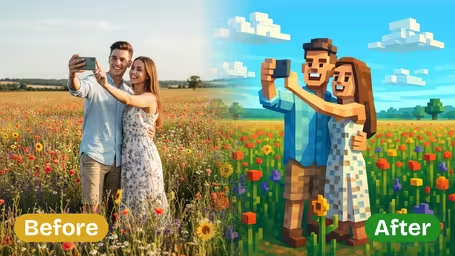
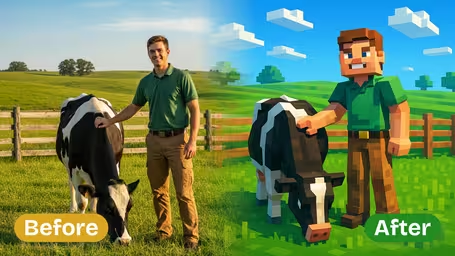
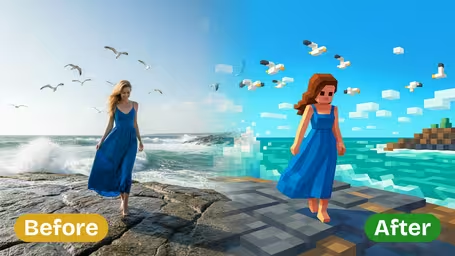
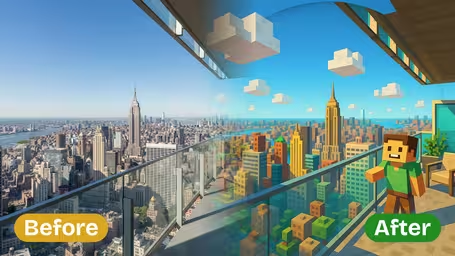
AI Minecraft Generator - Transform the input photo into a Minecraft-inspired voxel art style with mandatory 3D perspective view: blocky pixelated 3D forms, simplified geometric shapes, flat shaded colors, bright saturated palette, clear lighting, cubic clouds, stylized cartoon-like characters and environments.
Generated results will appear here
After submitting a task, AI-generated content will be displayed here
Example Gallery
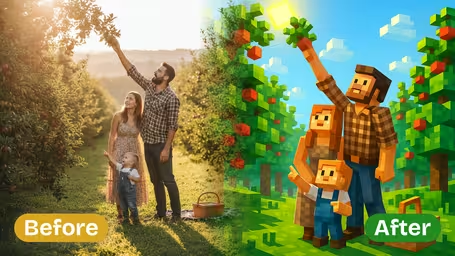
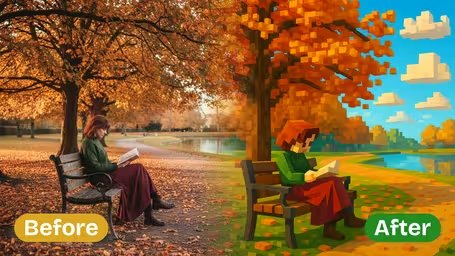
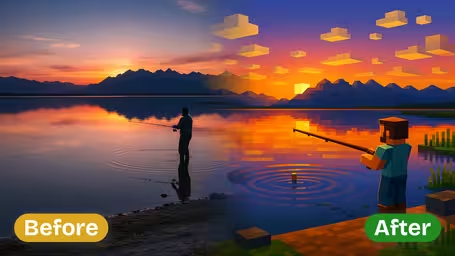






Key Features of Img2Video's AI Minecraft Generator
Turn any personal photo into stunning, detailed Minecraft-styled art in seconds with Img2Video's AI-powered Minecraft Generator. Just upload your image, get custom pixelated block effects, and enjoy eye-catching designs that keep all the core details of your original shot.
Minecraft AI Filter That Works On Any Image
No matter what photo you upload, our tool converts it into a one-of-a-kind Minecraft-inspired piece. Great for gamers, digital artists, and pixel art fans alike, the AI adjusts every image to fit the iconic blocky look without losing the core character of your original photo.
Crisp High-Resolution Minecraft Image Results
Get sharp, clean pixelated art that keeps every fine detail from your source image. High-quality output means your custom Minecraft designs look fantastic whether you're posting them online or printing them out for display.
Quick, Easy Minecraft Style Conversions
Our AI-powered generator processes your image in record time. All you have to do is upload your photo, and the conversion finishes in seconds, giving you bright, bold blocky effects with no confusing complicated settings to adjust.
Make Custom Minecraft-Style Images in Seconds With Img2Video’s AI Generator
This simple step-by-step guide walks you through uploading your photo to generate free Minecraft-style images instantly with Img2Video’s AI-powered tool. Turn any regular snapshot into a unique blocky, pixelated masterpiece in just a few clicks.
Upload your photo to the AI Minecraft generator
Pick any image saved on your device and upload it to Img2Video’s AI Minecraft generator. This is the first step to turning your ordinary photo into a one-of-a-kind piece of Minecraft-inspired art.
Tips: For the sharpest possible pixelated results, choose a high-quality photo with clear, well-defined main subjects.
Select your preferred output aspect ratio
Once your image finishes uploading, pick the aspect ratio that fits how you plan to use your new Minecraft-style creation. This guarantees your finished image will fit perfectly whether you’re posting it to social media, using it as a wallpaper, or printing it.
Tips: Common aspect ratios like 1:1 or 16:9 work well for most digital uses and display formats.
Click Create to generate your Minecraft-style image
Hit the Create button and let Img2Video’s smart AI algorithms add the iconic pixelated Minecraft effect to your photo. In just moments, your custom image will be ready to preview and download straight to your device.
Tips: You can download all your free Minecraft-style images right away, and test different source photos to explore a range of fun effects.
AI Minecraft Generator FAQ
Browse answers to the most common questions about our AI Minecraft Generator, which turns any photo into iconic blocky, pixelated art in Minecraft’s signature style.
Flexible AI Pricing
Pay-as-you-go credits or subscription plans. No hidden fees, cancel anytime.