Logo

AI Lego Filter

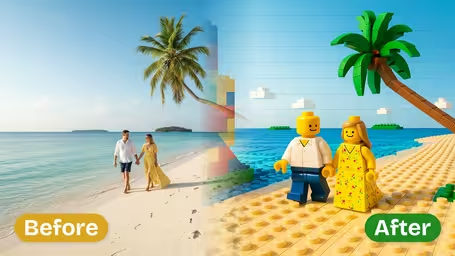
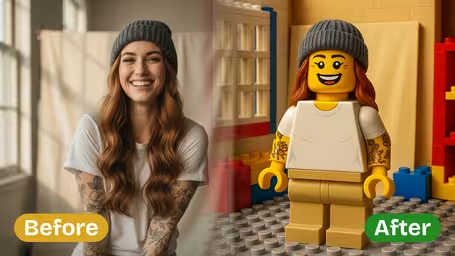
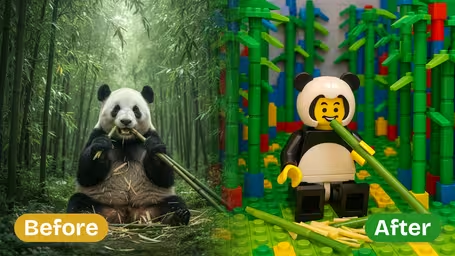
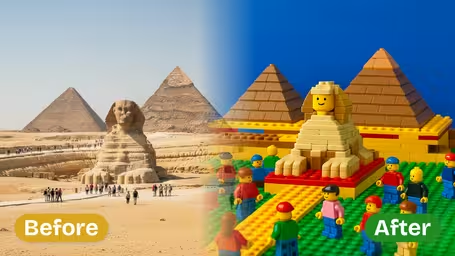
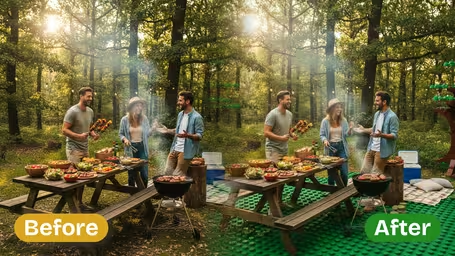
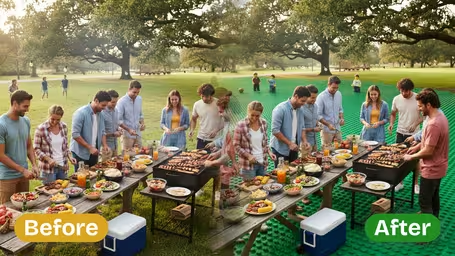
AI Lego Filter - Transform your photos into authentic LEGO minifigures with classic yellow heads and hands, positioned on a 3D LEGO baseplate environment with realistic brick constructions.

Input Photo*
Upload or Select File

Generated results will appear here

After submitting a task, AI-generated content will be displayed here

Public

Example Gallery

Example 1
Example 2
Example 3
Example 4
Example 5
Example 6

Key Features of Img2Video's AI Lego Filter

Check out Img2Video's one-of-a-kind AI Lego filter, which turns any ordinary photo into bright, eye-catching art inspired by classic Lego bricks. Turn portraits, landscapes, and everyday moments into detailed brick-built creations perfect for casual fun, social media posts, or personal creative projects.

Turn Any Photo Into Custom Lego-Style Artwork

Just upload any image, and our AI will instantly convert it into fun, whimsical Lego-inspired art. It flawlessly reinterprets portraits of loved ones and famous landmarks alike, with authentic brick textures and vibrant, true-to-original colors.

Design One-of-a-Kind Custom Lego Character Portraits

Our AI filter generates incredibly accurate Lego-style characters straight from your photos, capturing every detail from your hairstyle and clothing patterns to unique facial features for custom portraits inspired by classic Lego minifigures.

Make Eye-Catching Shareable Lego Art From Any Photo

Turn your photos into trendy pixelated Lego compositions that are perfect for new avatars, profile pictures, or creative social posts. Stand out from the crowd and grow engagement on your profiles with unique, attention-grabbing brick-style visuals.

Turn Any Photo Into Playful Free Lego-Style Art: Your Step-by-Step Guide to Img2Video’s AI Lego Filter

Learn how to quickly turn any personal photo into charming, playful Lego-themed art in just minutes with Img2Video’s 100% free AI-powered Lego filter.

1

Upload Your Original Photo

Pick any photo you’d like to reimagine as Lego art, and upload it to our AI Lego filter tool.

Tips: Stick to clear, high-res photos where your main subject stands out for the most impressive final result.

2

Let the AI Filter Process Your Image

Sit back and wait just a few seconds for Img2Video’s AI to work its magic and turn your photo into a one-of-a-kind Lego art creation.

Tips: Don’t refresh or close your browser tab while your Lego-style image is generating to avoid interrupting the process.

3

Download or Share Your Lego-Style Creation

When processing finishes, you can download your finished Lego-style image for free, or share it instantly to any of your social media accounts.

Tips: Experiment with as many different photos as you’d like to create multiple unique Lego art versions of your favorite memories.

AI Lego Filter FAQ

Commonly asked questions answered about our free AI Lego filter, which converts your regular photos into custom Lego-style artwork.

Our AI Lego filter is a fun photo effect that converts any everyday photo into a charming Lego-styled artwork. Powered by Img2Video's AI technology, all you have to do is upload your photo, and the tool automatically restyles every subject, object and background into bright, brick-based art. The entire process runs automatically, so you don't need any manual editing experience at all.
This AI Lego filter uses cutting-edge algorithms that were specifically trained on genuine Lego art references. That means your generated images keep all the correct shapes, colors, and proportions from your original photo, while seamlessly converting everything into a consistent brick art style. Every result is detailed, visually cohesive, and delivers high-quality Lego-style creations every single time you use it.
Yes, you can use the AI Lego filter for free through Img2Video's free trial plan. Your free trial comes with credits that let you convert your photos to Lego art without paying anything. Note that free access only lets you generate a limited number of images. If you want unlimited use, you can easily upgrade to a paid plan.
Absolutely. The AI Lego filter can process and restyle any photo you upload, whether it's a formal portrait, casual selfie, scenic landscape, picture of your pet, or a snapshot from your latest vacation. The AI adjusts seamlessly to all kinds of subjects and environments to produce stunning Lego-style art, while keeping all the important details from your original photo intact.
Yes, it is completely legal. All Lego-style images created by our AI filter are original works produced by Img2Video's proprietary technology. These images are copyright-free, so you can use them for both personal and commercial projects — including posting online, printing, or sharing with others, with no legal concerns to worry about.
There are tons of great ways to use your Lego art images: you can make one-of-a-kind social media avatars, surprise your loved ones with custom Lego-styled portraits, refresh your profile photos, or add playful, eye-catching visuals to work presentations or marketing campaigns. To get the very best results, upload clear, high-resolution photos so the AI Lego filter can accurately capture and translate all your original photo's details into the brick art style.

Flexible AI Pricing

Pay-as-you-go credits or subscription plans. No hidden fees, cancel anytime.

Basic

Start your AI journey

399.99
1 Year
USD
9000points1 Month
Priority Support
Early Access
5 GB(Storage Space)
3(Maximum Projects)
Team Members
50 images1 Month
Audio Transcription
100 snippets1 Month
API Calls
Popular

Professional

Elevate your AI experience

799.99
1 Year
USD
27000points1 Month
Priority Support
Early Access
20 GB(Storage Space)
10(Maximum Projects)
Team Members
150 images1 Month
150 minutes1 Month
300 snippets1 Month
API Calls

Enterprise

Powerful support for your team

1999.99
1 Year
USD
75000points1 Month
Priority Support
Early Access
100 GB(Storage Space)
50(Maximum Projects)
10(Team Members)
600 images1 Month
600 minutes1 Month
1200 snippets1 Month
10000 calls1 Month