











AI Hair Color Changer
Transform hair color with realistic professional salon-quality results. Change hair to any desired color while maintaining natural texture, volume, and styling. Creates seamless color transitions with vibrant, authentic-looking results.
Generated results will appear here
After submitting a task, AI-generated content will be displayed here
Example Gallery
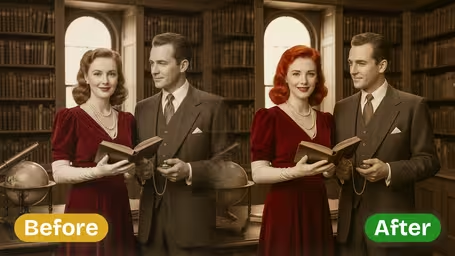
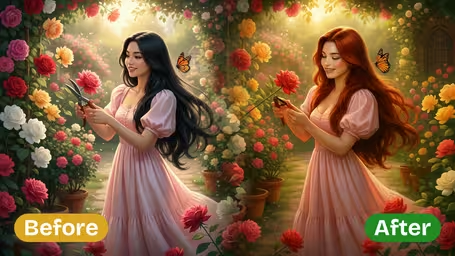
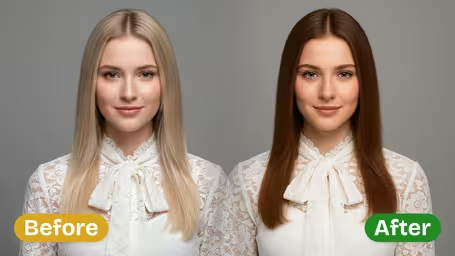
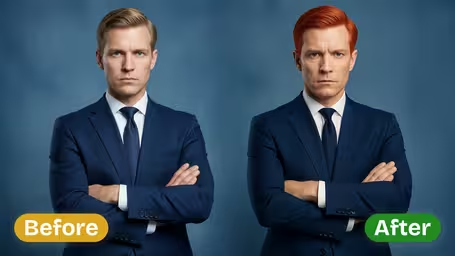
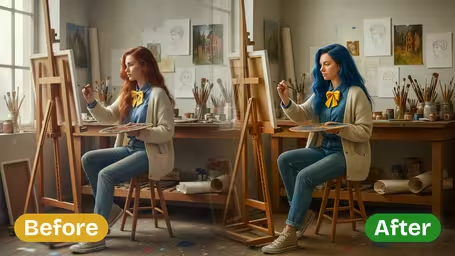
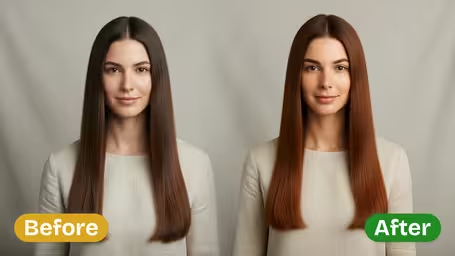






Key Features of Img2Video's AI Hair Color Changer
Explore what Img2Video’s AI-powered hair color changer can do: test out any virtual hair shade in seconds, get naturally realistic results, and browse unlimited options for your next look — no salon visit required, just one simple photo upload.
Instant At-Home Virtual Hair Color Trials
Just upload your portrait or selfie, and you can start testing dozens of virtual hair shades right from your couch. Img2Video’s AI applies every new tone in an instant, so you can preview a brand-new look in just a few seconds.
Naturally Realistic Hair Color Transformations
Cutting-edge AI ensures every new hair shade blends perfectly with your original photo, looking totally natural rather than artificial. This hyper-accurate rendering lets you clearly visualize exactly how you’ll look with any shade you pick.
Endless Shade Options For Every Style
Whether you want bold, statement-making tones like ruby red or electric blue, or soft, everyday shades like sandy brown, our tool lets you test endless possibilities until you land on the perfect match for your unique vibe.
Step-by-Step Guide to Trying New Hair Colors Virtually With Img2Video's Hair Color Changer
Our easy walkthrough shows you how to test gorgeous new hair hues from the comfort of your home with Img2Video's AI-powered hair color tool. Just upload your selfie, pick your dream shades, and see a hyper-realistic preview before you commit to any permanent change.
Upload a Sharp, Well-Lit Photo For the Most Realistic Results
Pick and upload a high-resolution, evenly lit photo that shows your full hair clearly. This lets our virtual tool accurately detect your hair and apply your new color seamlessly.
Tips: Opt for a shot taken in natural daylight with as few harsh shadows as possible to get the most lifelike color outcome.
Pick and Test Any Hair Shade You Want To Try
Img2Video's tool gives you access to thousands of different shades and tones. Whether you're craving a bold statement like electric blue or a soft, natural upgrade like honey blonde, just tap your pick and let AI work its magic on your look.
Tips: Don't be afraid to test multiple shades to compare how different hues complement your skin tone and personal style before you settle on your favorite.
Preview, Download and Share Your Finished Virtual Makeover
Look over your updated photo and see how naturally your new color blends in. Save your transformed image to your device or send it to friends to get their input before you book your salon appointment.
Tips: Getting input from friends can help you feel confident and sure of your choice when you do go in for your actual hair color change.
AI Hair Color Changer FAQ
Get answers to all your most common questions about Img2Video's AI-powered hair color changer for virtual hair try-ons, including usage tips, system requirements, and troubleshooting help for common issues.
Flexible AI Pricing
Pay-as-you-go credits or subscription plans. No hidden fees, cancel anytime.