











AI Cyberpunk Filter
AI Cyberpunk Filter - Transform your photos into futuristic cyberpunk portraits with neon-soaked aesthetics, glowing accents, and cinematic atmosphere.
Generated results will appear here
After submitting a task, AI-generated content will be displayed here
Example Gallery
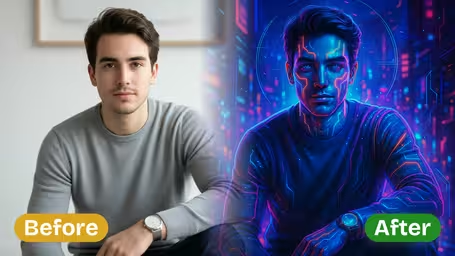
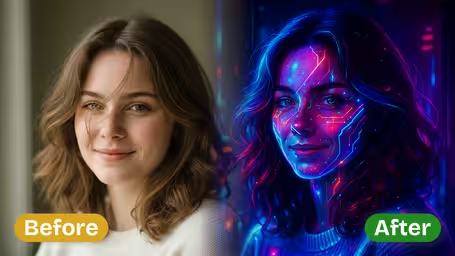
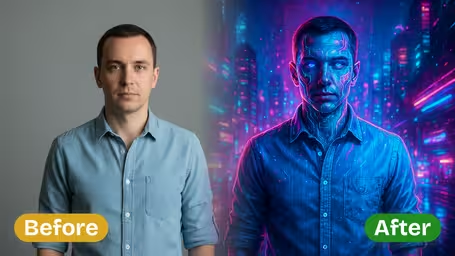
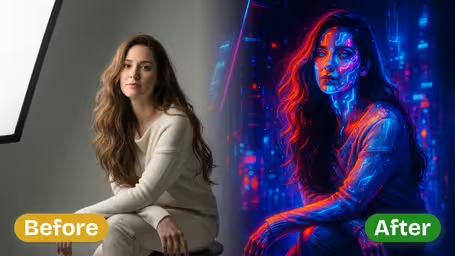
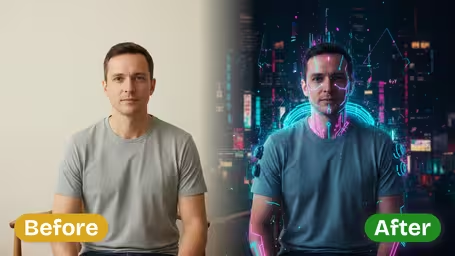
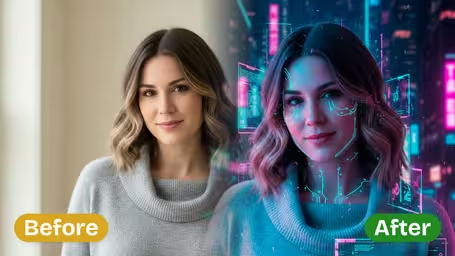






Key Features of Img2Video's AI Cyberpunk Filter
Turn your ordinary photos into stunning, immersive futuristic cyberpunk art with Img2Video's AI-powered filter—all while retaining the original authenticity of your main subject.
One-Click Cyberpunk Transformation
Turn any photo into a polished cyberpunk artwork in just one tap. Our AI applies intricate, neon-drenched futuristic styling to both your subject and background, delivering a fully immersive finished look with zero manual editing work required.
Authentic Subject Preservation
Keep the unique look and character of your original photo's main subject intact, even after adding our bold, vivid cyberpunk styling. Our AI guarantees that all facial features, positioning, and small original details remain untouched, so the heart of your original photo stays preserved.
Dynamic Cyberpunk Backgrounds
Swap out boring, generic backgrounds for deeply layered, atmospheric cyberpunk scenes. Our AI seamlessly blends your subject into vivid sci-fi environments, resulting in cinematic, fully immersive images that stand out.
Transform Any Photo Into Stunning Cyberpunk Art With Img2Video’s AI Cyberpunk Filter
This simple step-by-step walkthrough shows you how to upload your photo, let Img2Video’s AI cyberpunk filter work its magic, then save your final image—keeping all the unique details of your original subject while wrapping it in an atmospheric, immersive futuristic aesthetic.
Upload Your Photo to the Cyberpunk Filter
Pick the photo you’d like to reimagine as cyberpunk artwork and upload it to Img2Video’s AI-powered filter. For the most polished finished result, make sure your main subject is clearly visible in the original image.
Tips: High-resolution original photos let the cyberpunk effect render every tiny futuristic detail without losing sharpness on your core subject.
Click Create to Apply the Cyberpunk Effect
After your photo finishes uploading, just hit the Create button to let Img2Video’s AI immediately apply dynamic, layered cyberpunk effects to your entire image, boosting the visual appeal of both your main subject and background.
Tips: Take a quick look at your generated image before saving to confirm the cyberpunk style aligns with what you envisioned.
Download or Share Your Cyberpunk Images
Save your brand new cyberpunk artwork straight to your device, or share it directly online to show off your one-of-a-kind sci-fi aesthetic—all while your original subject’s unique characteristics stay fully intact.
Tips: Sharing directly to your social channels lets your audience see your vivid cyberpunk creation while the effect is still new and exciting.
AI Cyberpunk Filter FAQ
Get answers to all the most common questions about Img2Video’s AI cyberpunk filter, which lets you convert any photo into a striking neon cyberpunk image in just one click.
Flexible AI Pricing
Pay-as-you-go credits or subscription plans. No hidden fees, cancel anytime.