











AI Beard Filter
AI Beard Filter - Add a natural, well-groomed full beard to male subjects, making them appear more mature and confident while preserving original pose, expression, and clothing.
Generated results will appear here
After submitting a task, AI-generated content will be displayed here
Example Gallery
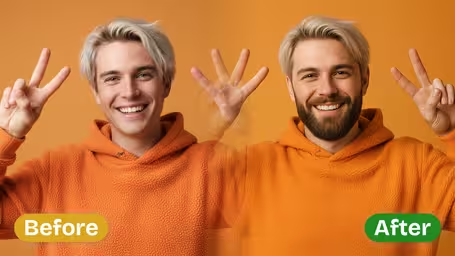
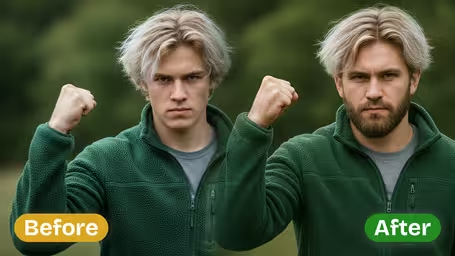
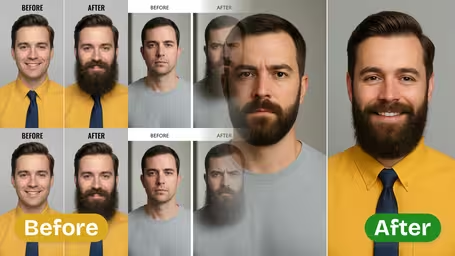
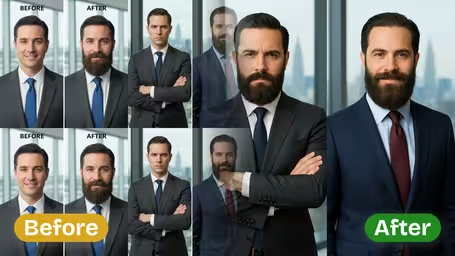
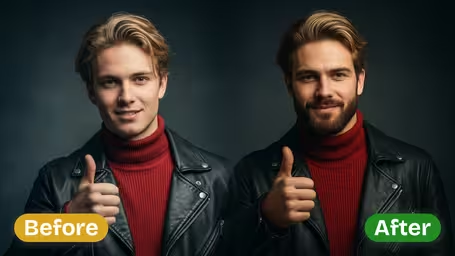
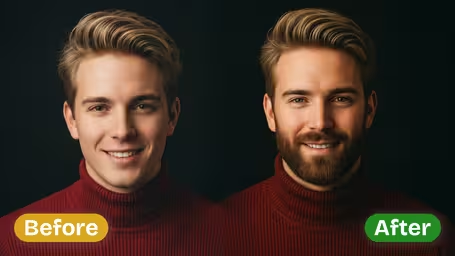






Key Features of Img2Video's AI Beard Filter
See how Img2Video’s AI-powered beard filter instantly transforms any subject in your photos with a naturally realistic beard effect, all while keeping your original facial details and personal style fully intact.
Get a Lifelike Beard In Just Minutes
Instantly give any subject in your photo a striking new look with a natural, realistic beard. Our AI filter leverages advanced facial recognition to blend the new beard seamlessly for an effortlessly natural finish.
Matches Natural Texture and Your Skin Tone
Our AI automatically aligns beard texture, shading, and color to perfectly match your skin tone and the existing lighting in your photo, for the most natural, realistic result possible.
Preserves Original Facial Expressions and Features
Intelligent facial mapping guarantees your original facial expressions, contours, and unique skin details stay unchanged, while the new beard sits perfectly aligned to your jawline for a flawless look.
Step-by-Step Guide: Adding a Realistic Beard to Your Photo With Img2Video's AI Beard Filter
Our simple walkthrough walks you through uploading your portrait, applying our naturally stunning beard filter, and downloading your finished transformed image in seconds.
Upload Your Photo Subject
Tap the upload button and select your subject's photo, making sure the face is clear and evenly lit so the AI can generate the most natural, realistic final look.
Tips: Pick a front-facing shot to help the AI map your unique facial features with perfect accuracy.
Apply the Realistic Beard Effect
Start processing, and Img2Video's AI will map your facial structure before seamlessly blending a natural, great-looking beard that fits your look perfectly.
Tips: Adjust your photo's lighting or contrast ahead of time for the best possible beard texture and natural shading.
Download or Share Your Transformed Photo
Once the beard effect finishes processing, you can instantly download your realistic new photo or share it straight to your favorite social platforms.
Tips: Save your image in full high resolution to keep crisp, clear quality whenever you share it.
Frequently Asked Questions: AI Beard Filter
Find answers to all your common questions about using the Img2Video AI Beard Filter to add a lifelike beard to any photo subject. We cover tool usage, technical needs, best practices, and troubleshooting to help you achieve a gorgeous, natural-looking finished facial style.
Flexible AI Pricing
Pay-as-you-go credits or subscription plans. No hidden fees, cancel anytime.