











AI Balloonify Effect Generator
AI Balloonify Effect Generator - Transform your subjects into glossy, inflated 3D balloon versions with shiny reflective surfaces, rounded proportions, and vibrant colors.
Generated results will appear here
After submitting a task, AI-generated content will be displayed here
Example Gallery
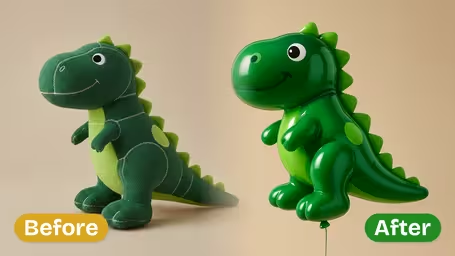
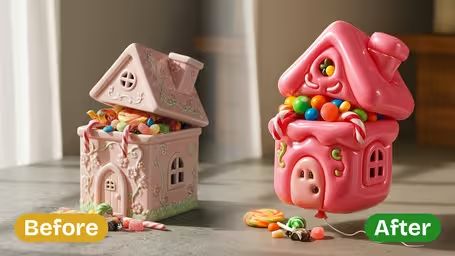
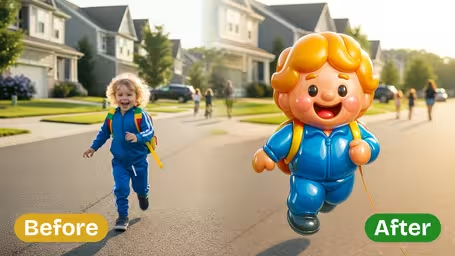
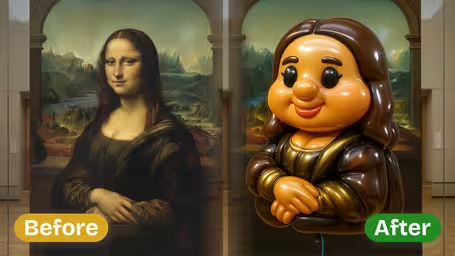
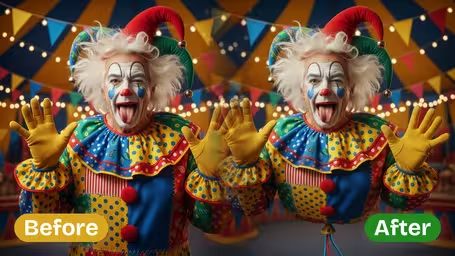
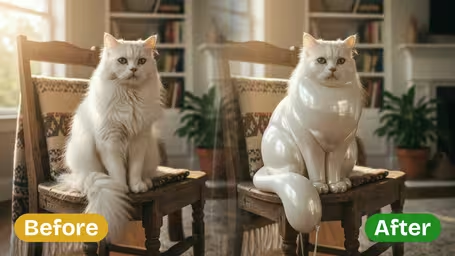
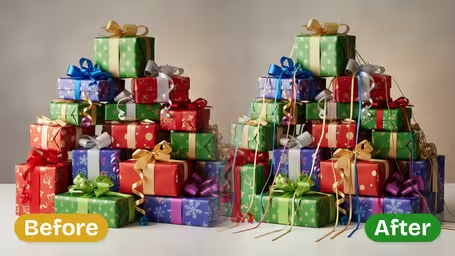






Key Features of Img2Video’s AI Balloonify Effect Generator
Turn any subject from your photo into an adorable floating balloon full of bright color and playful charm with Img2Video’s AI-powered Balloonify effect generator.
Turn Any Single Person or Object Into a Floating Balloon
Upload any image featuring one person or single object, and our AI quickly converts it into a delightfully whimsical flying balloon. The effect preserves all your subject’s recognizable details while shaping it into soft, rounded, cartoon-like form that looks gently afloat.
High-Quality, Clean Balloon Image Output
The tool automatically isolates your chosen subject from any original background, guaranteeing crisp outlines and intact recognizable details. This delivers a vibrant, high-quality balloon rendering completely free of distracting visual clutter.
Compatible With All Types of Single Subjects
The Balloonify effect works seamlessly on both portraits and standalone objects. From people to small props, the generator turns any single subject into a charming flying balloon, perfect for creative projects and attention-grabbing visuals.
Step-by-Step Guide: Turn Any Image Subject Into a Floating Balloon With Img2Video’s AI Balloonify Generator
It only takes three easy steps to use Img2Video’s AI-powered Balloonify Effect Generator to turn any single person or object in your photo into a charming, whimsical floating balloon.
Upload a Photo With a Clear, Isolated Main Subject
Pick a photo featuring one person or standalone object, then upload it to Img2Video's balloonify effect generator to get the best possible results.
Tips: Good lighting and an unobstructed subject helps the AI create a clean, accurate balloon transformation, so keep this in mind when selecting your image.
Sit Back While AI Transforms Your Subject Into a Flying Balloon
Img2Video will automatically process your upload and reimagine your main subject as a soft, rounded, vibrant balloon that looks naturally light and playful as it floats.
Tips: Do not refresh the page while the AI works, this ensures your transformation completes smoothly without interruptions.
Download Your Final Balloonified Image
Once the flying balloon effect is fully generated, save the transformed image file directly to your device to share or use in all your creative projects.
Tips: You can edit your balloonified image further or add custom backgrounds to create even more fun, unique effects.
AI Balloonify Effect Generator FAQ
Get answers to all your frequently asked questions about our AI Balloonify effect generator, which converts one person or object from your photo into a charming floating balloon.
Flexible AI Pricing
Pay-as-you-go credits or subscription plans. No hidden fees, cancel anytime.