











3D Chibi Couple Jewelry Box
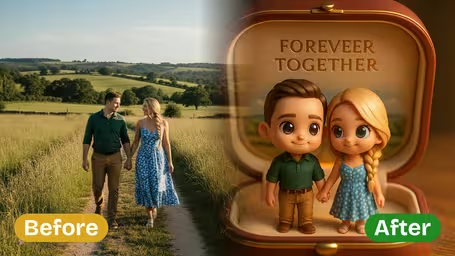
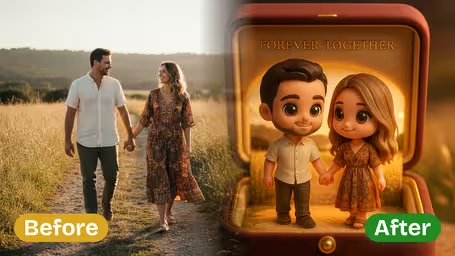
3D Chibi Couple Jewelry Box - Transform your couple photo into adorable chibi figurines inside a romantic jewelry box with 'FOREVER TOGETHER' engraved on the lid.
Generated results will appear here
After submitting a task, AI-generated content will be displayed here
Example Gallery
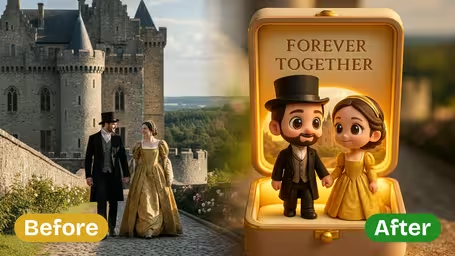
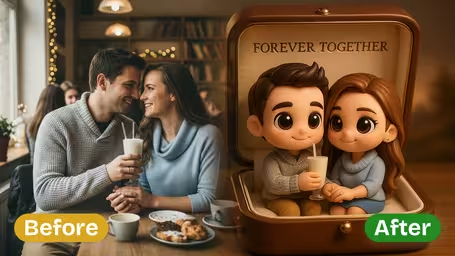
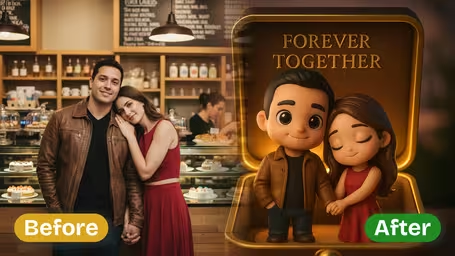
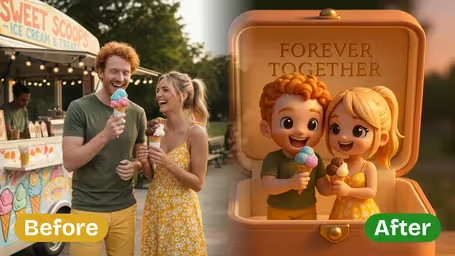






Features of Our AI 3D Chibi Couple Jewelry Box Generator
See how Img2Video turns your favorite couple photos into one-of-a-kind 3D chibi jewelry box artwork, preserving your most precious memories with endless charm and crisp, thoughtful detail.
Turn Any Couple Photo Into Custom Chibi Jewelry Box Art
Just upload any couple snapshot, whether it’s your wedding day, a milestone anniversary, or a casual everyday moment, and Img2Video’s AI will turn it into a playful 3D chibi jewelry box image made just for you, ideal for holding onto your favorite memories.
Uniquely Adorable Chibi Character Design
Get cute, instantly lovable designs with signature oversized heads and soft, charming proportions. Your custom jewelry box gets a fun, upbeat style that makes your couple portrait completely one of a kind.
Retain All Key Details From Your Original Photo
Our cutting-edge AI algorithms keep the core spirit of your original photo intact, holding onto clothing styles, unique facial features, and your original poses, while adding expressive chibi effects that boost your portrait’s one-of-a-kind personality.
Step-by-Step Guide: Design a Custom 3D Chibi Couple Jewelry Box Image With Img2Video
Our easy walkthrough shows you how to convert your favorite couple photo into a cute, one-of-a-kind chibi 3D jewelry box design with the Img2Video tool. Preserve your special romantic memory in a whimsical, eye-catching art style with custom photo effects.
Upload Your Couple Photo
Pick and upload a sharp, evenly lit photo of you and your partner that you want to turn into your custom chibi jewelry box artwork.
Tips: High-res photos with both faces unobscured will give you the crispest, most charming chibi result.
Select Your Output Image Style and Aspect Ratio
Choose the aspect ratio that matches your jewelry box dimensions, then tweak style settings to get the exact look you want for your chibi couple art.
Tips: Try out multiple ratio options to find the perfect fit for your specific jewelry box shape and layout.
Generate and Download Your Chibi Jewelry Box Image
Tap the Create button to let Img2Video’s AI apply its custom photo effects. When your cute chibi couple artwork is finished, you can download it right away.
Tips: Save multiple different versions to compare styles and pick the design you love most.
AI 3D Chibi Couple Jewelry Box Generator FAQ
Common questions answered about using our AI 3D Chibi Couple Jewelry Box Generator to turn your couple photos into cute, one-of-a-kind chibi jewelry box art.
Flexible AI Pricing
Pay-as-you-go credits or subscription plans. No hidden fees, cancel anytime.